Características #
- This product is made by 2.4G wireless transmitting technology with low consumption and strong ability to resist signal loss.
- Compatible con control remoto de 2.4G.
Parámetros #
| Nombre del producto | Controlador LED monocolor (2.4G) |
| Nº de modelo. | iL1 |
| Aporte | DC12V-24V |
| Salida | Máx. 12 A |
| RF | 2,4 GHz |
| Distancia de control | 30m |
| Temperatura de funcionamiento | -20~45°C |
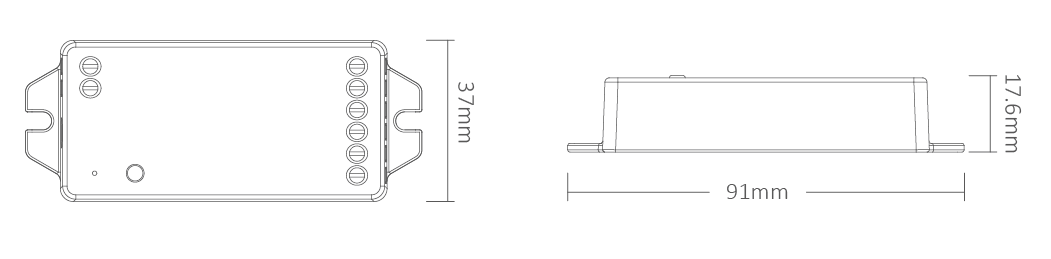
| Tamaño del producto | 91*37*17.6mm (L*W*H) |
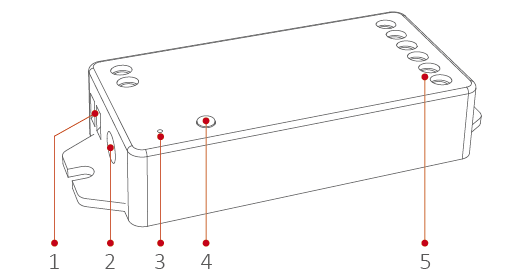
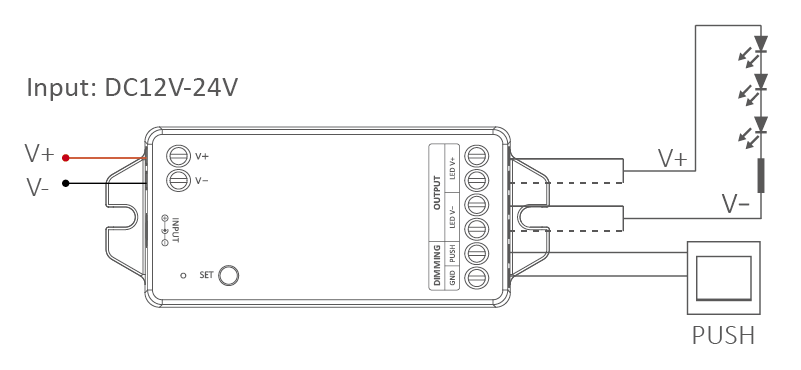
Diagrama de conexión #
Regulación PUSH #
Short press push switch: Turn on or turn off light.
Long press push switch: Long press / release and long press again to increase or decrease brightness.
Setting PWM frequency #
Long press “SET”until indicator flashes, short press “SET” continuously to select PWM frequency.
| Lowest | Flashing slowly | Flashing quickly | Fastest |
| 250Hz | 2KHz | 4KHz | 8KHz |
frecuencia PWM (changing different frequency to solve the noise problem from power adapter).
High frequency only support device with lower wattage, low frequency support device with higher wattage and have better dimming performance. Factory default PWM frequency is 4KHz.
Control remoto 2.4G #
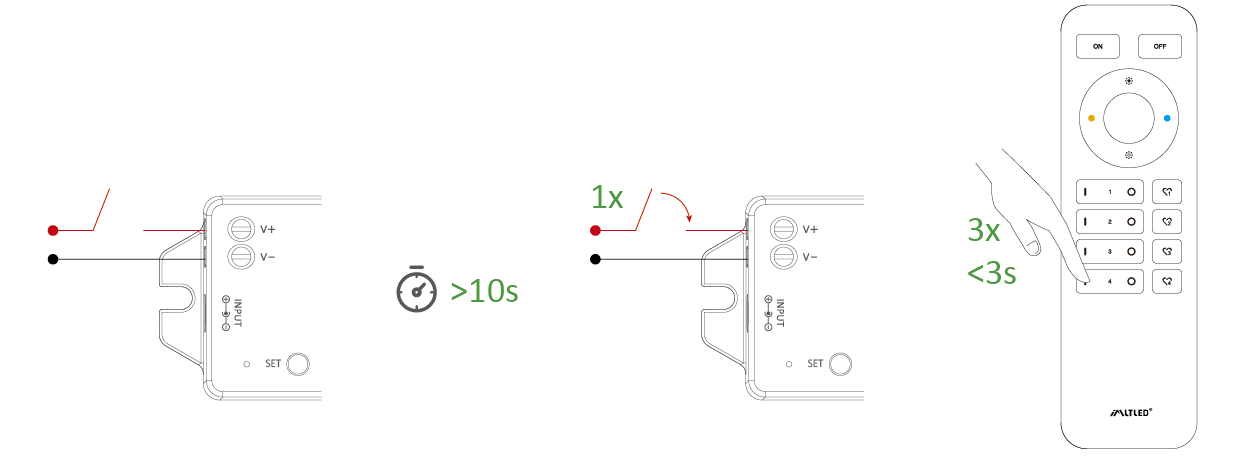
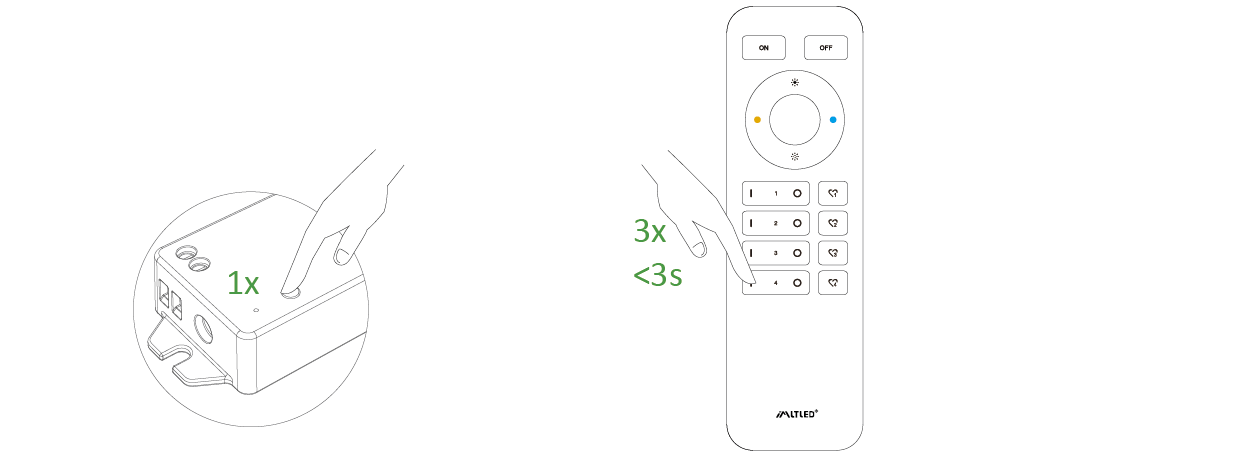
Código de enlace (2 soluciones diferentes) #
Solución 1
Pulsa brevemente “SET” 1 vez, pulsa brevemente “I” 3 veces en 3 segundos.
Solución 2
Apague y encienda, presione brevemente “I” 3 veces en 3 segundos.
El enlace se habrá realizado si la luz parpadea 3 veces lentamente.
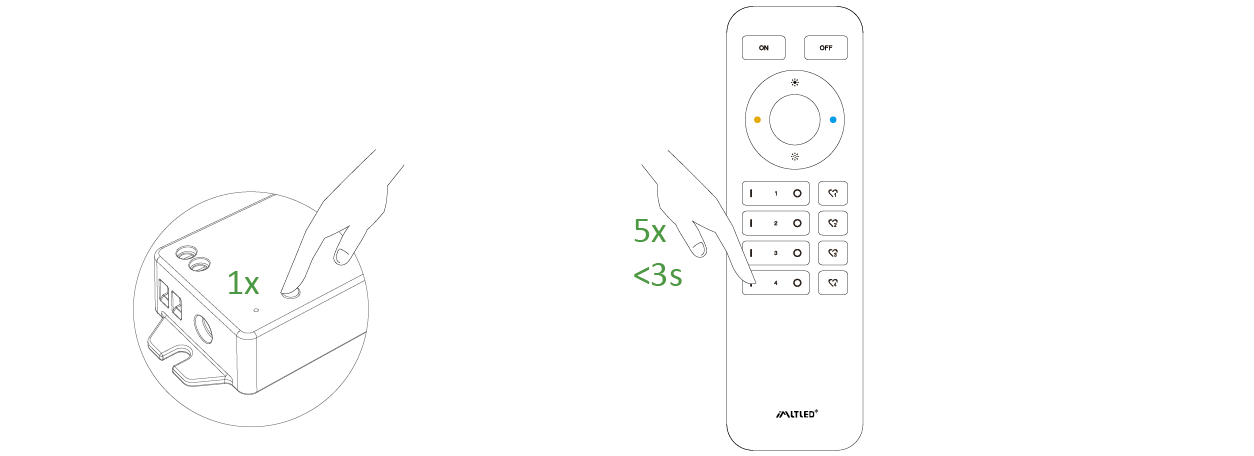
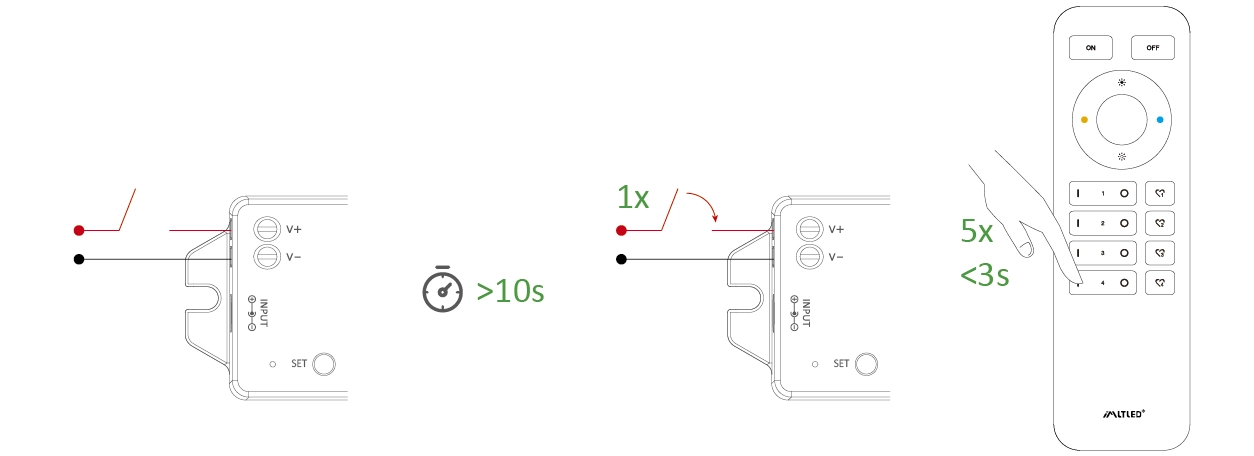
Código de limpieza (2 soluciones diferentes) #
Solución 1
Pulsa brevemente “SET” 1 vez, pulsa brevemente “I” 5 veces en 3 segundos.
Solución 2
Apague y encienda, presione brevemente “I” 5 veces en 3 segundos.
El código de limpieza se ha eliminado si la luz parpadea 6 veces rápidamente.
Mini Brightness #
- Long press “
” or “
” 6S in any group zones until lighting fixture flashes one time (step out automatically if remote don’t be operated within 5S).
- Short press “
” or “
” in group zone to set up 10 kinds of brightness level ( 1%, 5%, 10%, 15%, 20%, 25%, 30%, 35%, 40%, 50%).
Short press any button except “OFF” to confirm or step out setting, the master “OFF”can set up all features.
ON/OFF Time #
The light status changes gradually (factory default time is 0.5s).
1.5s: Short press “ON” 1 times and short press “OFF” 5 times within 3 seconds, the setting is done once light flashes 2 times slowly.
0.5s: Short press “OFF” 1 times and short press “ON” 5 times within 3 seconds, the setting is done once light flashes 2 times quickly.
Atención #
- Please cut off power before wiring device
- Please check the voltage of power adapter before connecting
- Don’t disassemble it if you are not expert
- Don’t use it in metallic or magnetic area