APP download #
Caratteristiche #
- This product is made by WiFi+BLE+2.4G wireless transmitting technology with low consumption and strong ability to resist signal loss.
- Dual WiFi+BLE chip improves user to enter into network conveniently. User can pair device into network via bluetooth connection if the router is offline.
- 2 kinds of output mode support 2 LED strip (Single color/Tunable white).
- Supporta il controllo remoto a 2,4 GHz.
- Working with “Tuya Smart” app,wireless dimming, remote control, group control, create favourite scene,timmer function, music rhythm, biological rhythm, sleeping and weak up plan, automation and tap to run function.
Parametri #
| Nome del prodotto | Controller LED 2 in 1 (WiFi+2.4G) |
| Modello n. | iL2W |
| Ingresso | DC12V-24V |
| Produzione | Max 12A |
| Protocollo | WiFi+2.4GHz |
| WiFi standard | IEEE 802.11b/g/n 2.4GHz |
| Distanza di controllo | 30 m (RF a 2,4 GHz) |
| Temperatura di lavoro | -20~45°C |
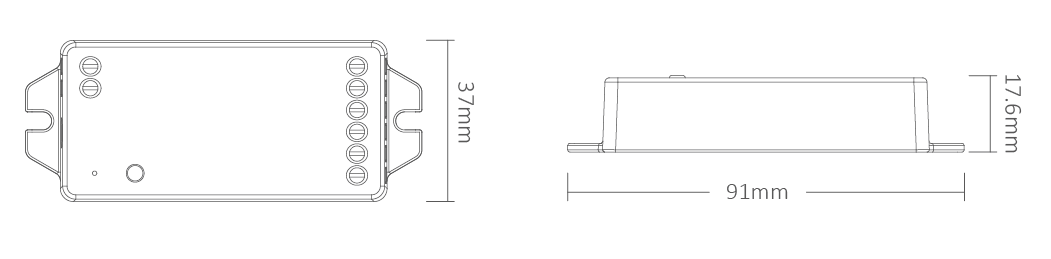
| Dimensioni del prodotto | 91*37*17.6mm (L*W*H) |
Schema di collegamento #
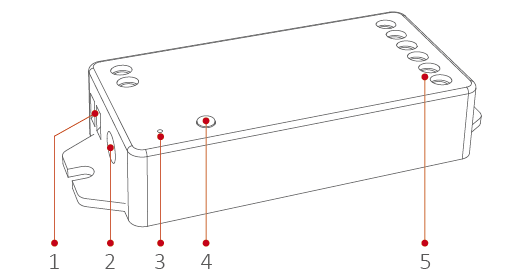
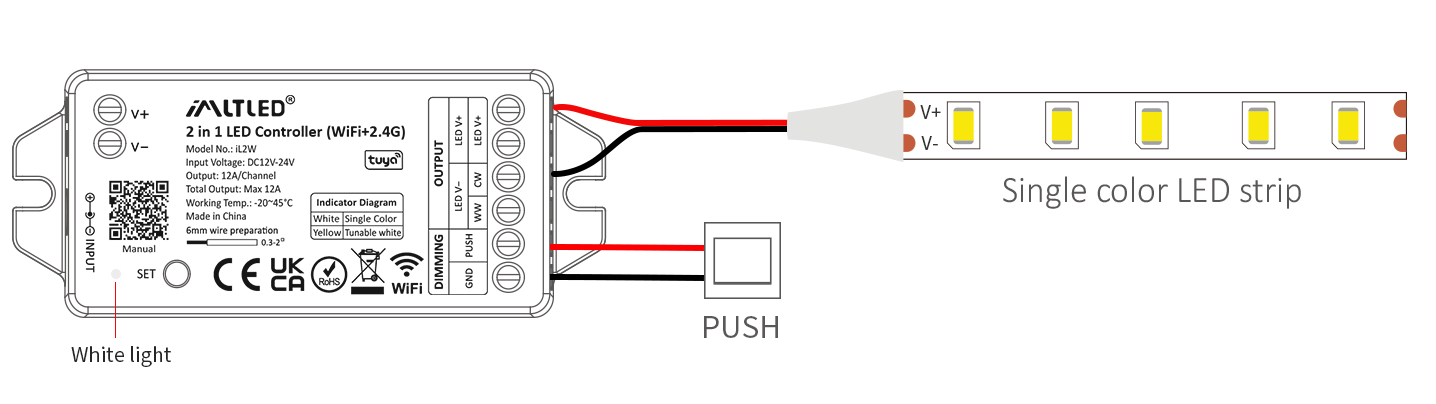
For single color LED strip (short press “SET”–White indicator)
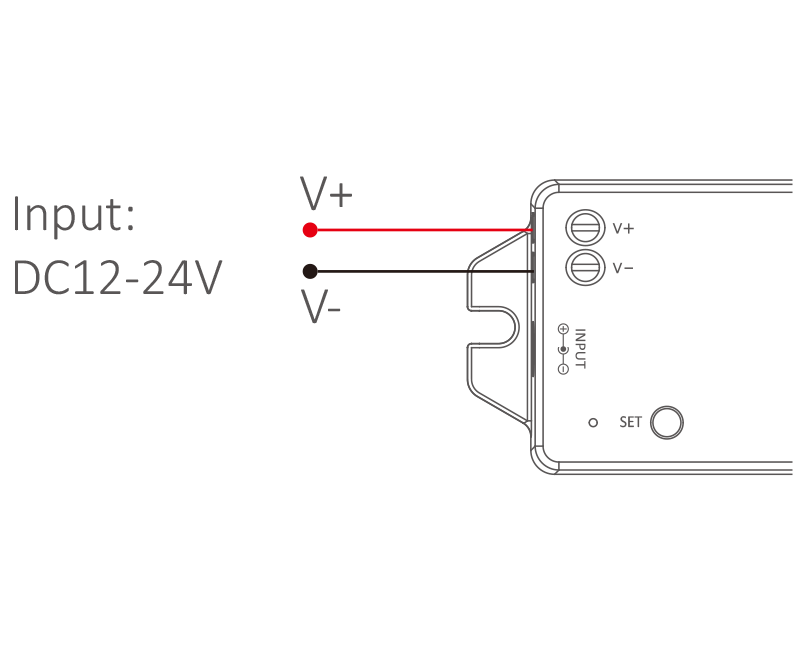
Input:DC12V-24V
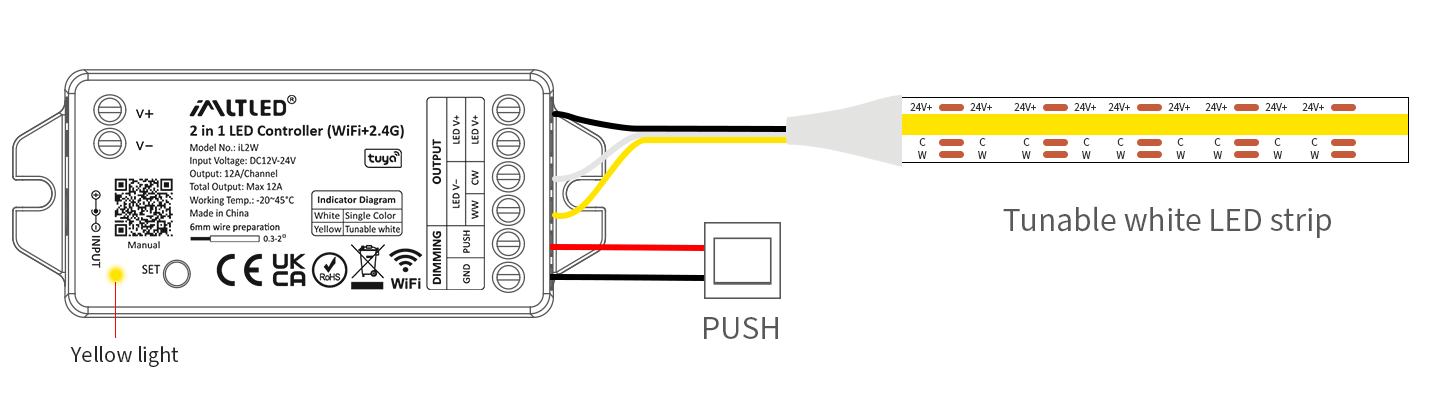
For tunable white LED strip (short press “SET”–Yellow indicator)
Input:DC12V-24V
Regolazione della luminosità tramite pressione #
Accensione/spegnimento: Premere brevemente il pulsante.
Cambia modalità (doppio clic):
Modalità temperatura colore: cambia modalità tra
luminosità e temperatura del colore.
Regola la luminosità/temperatura del colore:
Tieni premuto a lungo per aumentare il valore, rilascia e tieni premuto
premere di nuovo per diminuirlo.
Nota: Il sistema torna alla modalità luminosità
automaticamente se l'operazione viene interrotta dopo 5 secondi.
APP Details #
Adding device #

1). Connect controller with power adapter
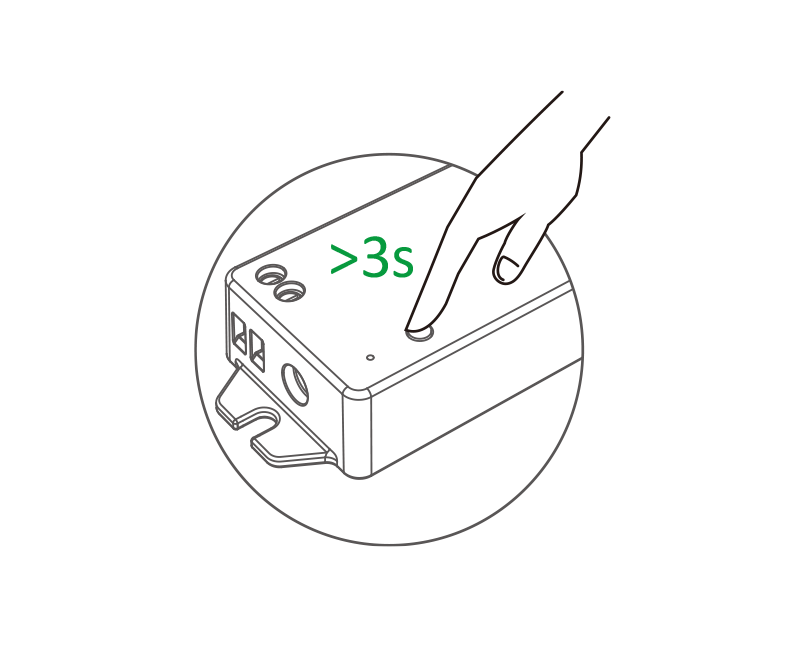
2). Indicator blinks quickly ( 2 times per seconds), long press “SET” 3 seconds if indicator doesn’t blink quickly
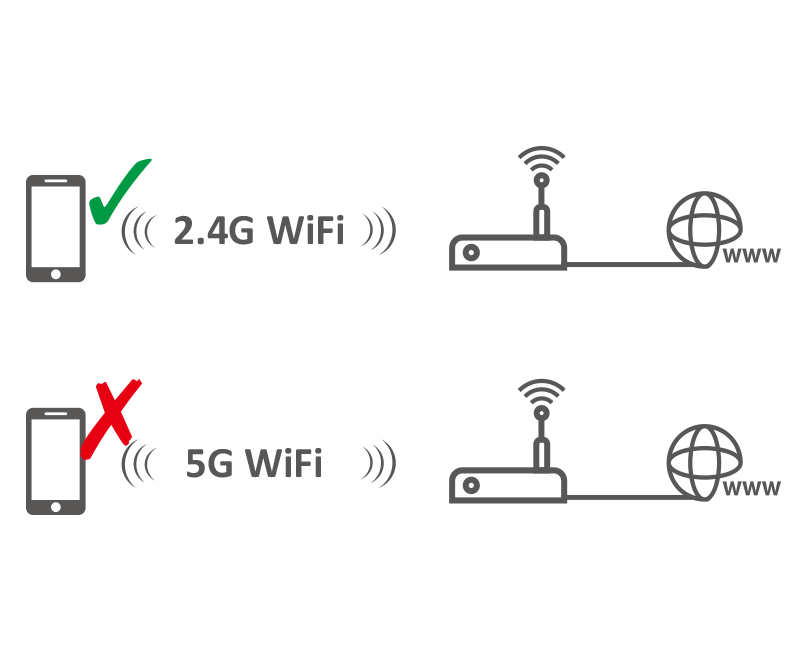
3). Connect smart phone with 2.4Ghz WiFi
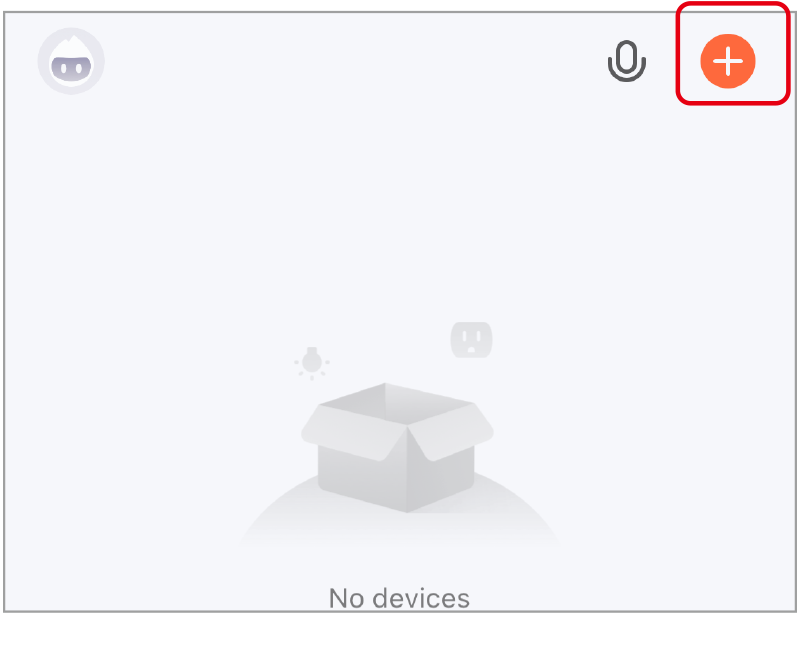
4). Click “+”

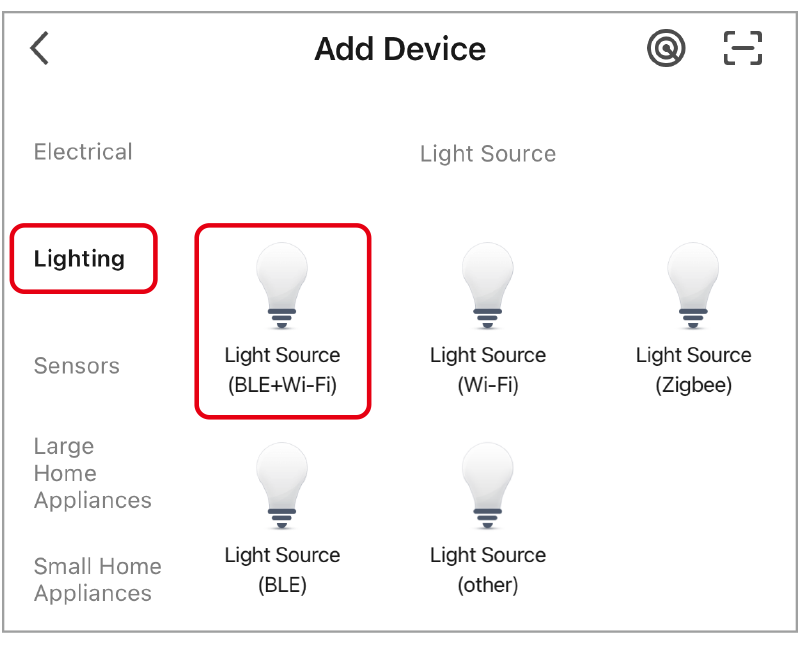
5). select “lighting” and “light source (BLE+wifi)”, finishing the rest steps in app
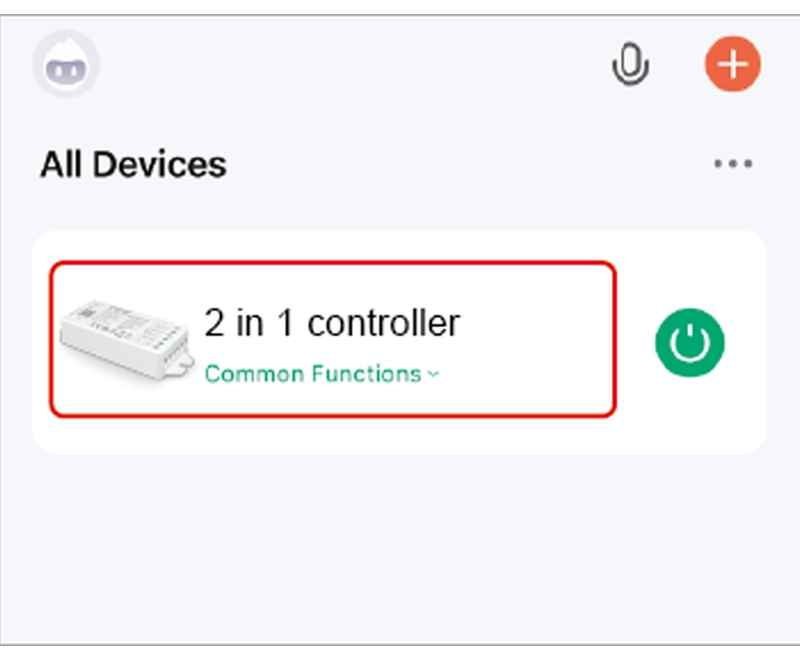
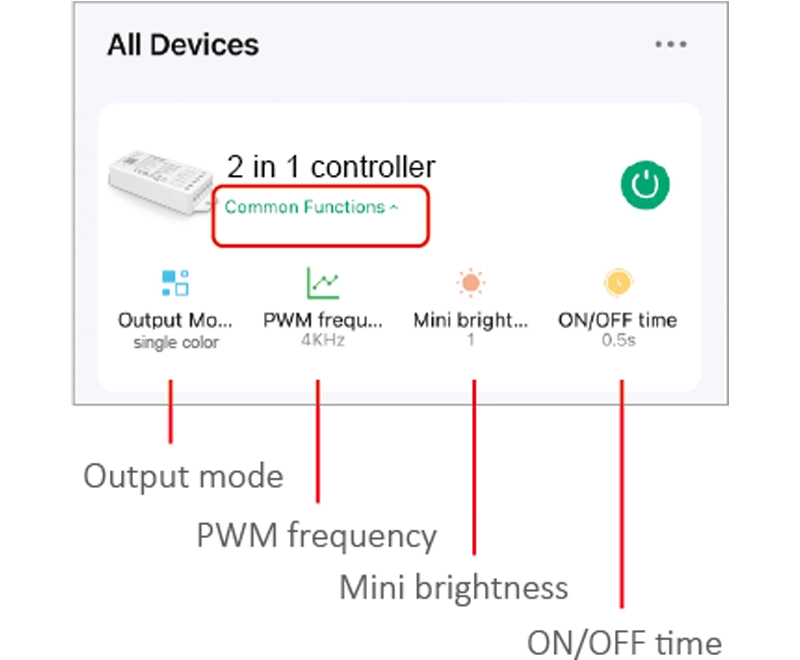
6). Click device to enter into main page
- Luminosità: quickly change brightness
- PWM frequency: changing different frequency to solve the noise problem from power adapter.
- Mini brightness: the lowest brightness of lights.
- ON/OFF time: the light status changes gradually( factory default time is 0.5s).
High frequency only support device with lower wattage, low frequency support device with higher wattage and have better dimming performance. (Factory default PWM frequency is 4KHz).
Voice control Details #
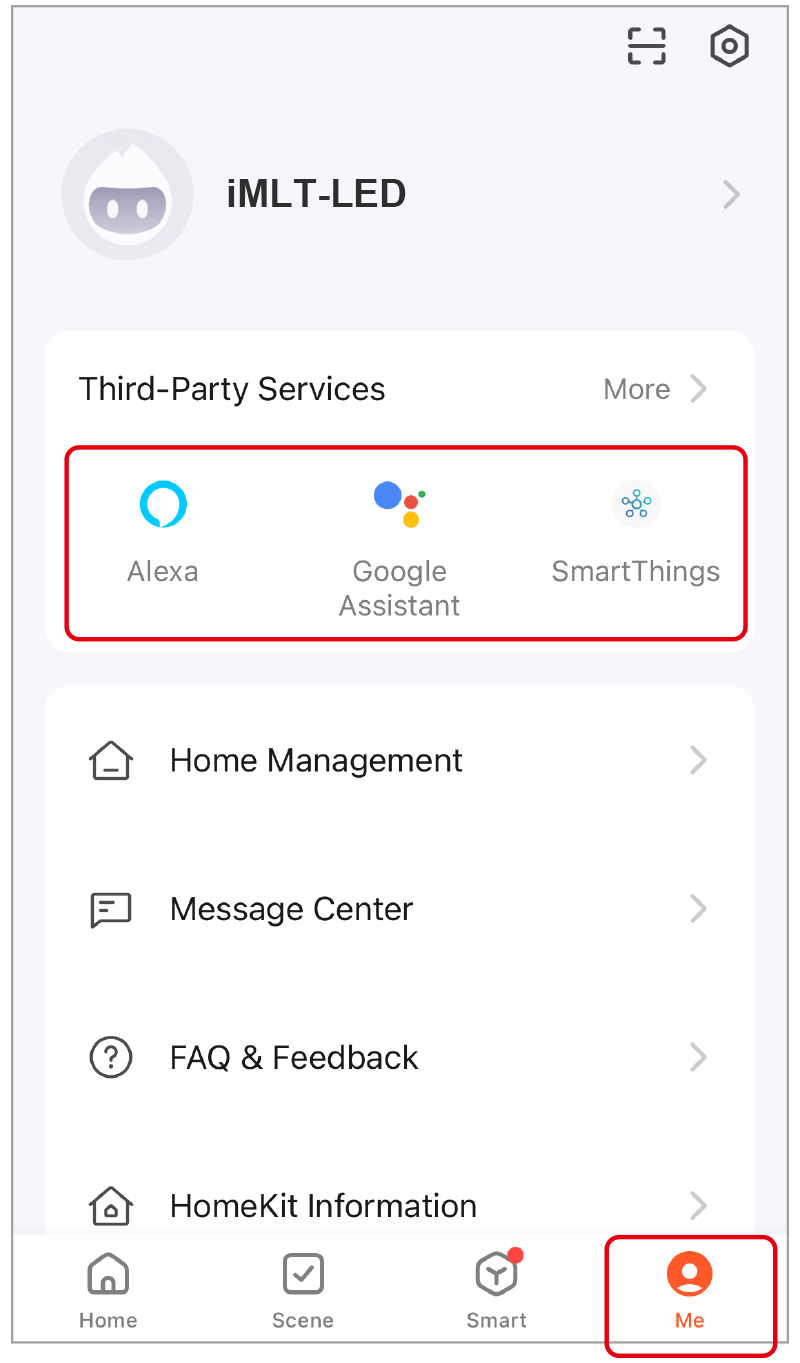
Click “Me”, select the third-party service and completed setting.
Telecomando 2.4G #
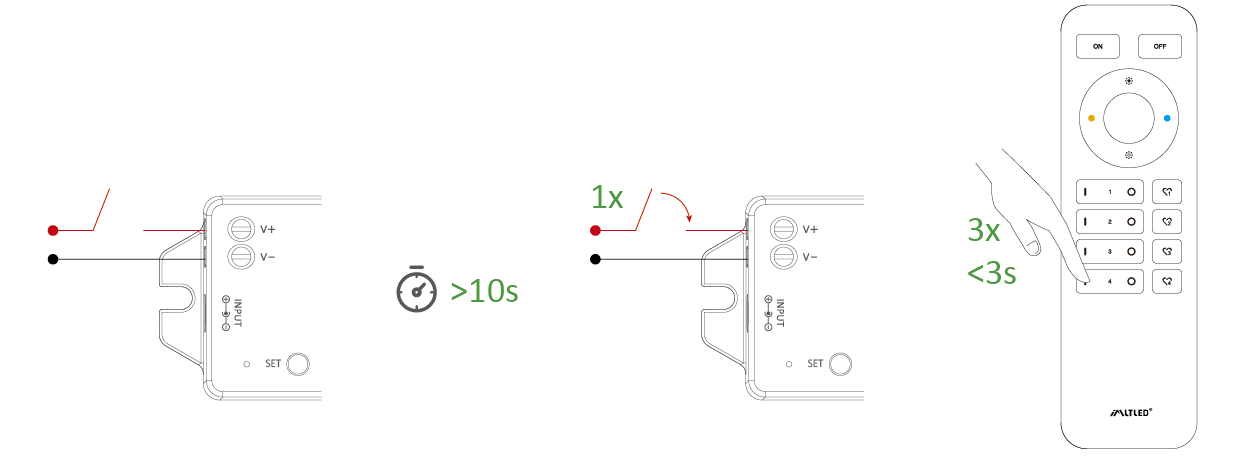
Collegamento del codice (2 soluzioni diverse) #
Soluzione 1
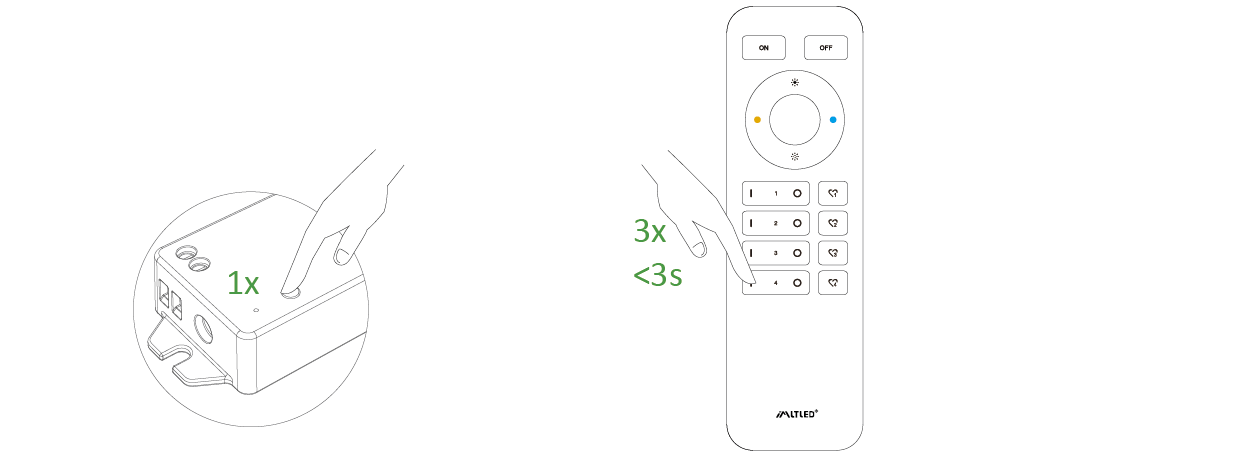
Premere brevemente “SET” una volta, premere brevemente “I” tre volte entro 3 secondi
Soluzione 2
Spegnere e riaccendere, premere brevemente il tasto “I” 3 volte entro 3 secondi
Il collegamento è completato se la luce lampeggia 3 volte lentamente.
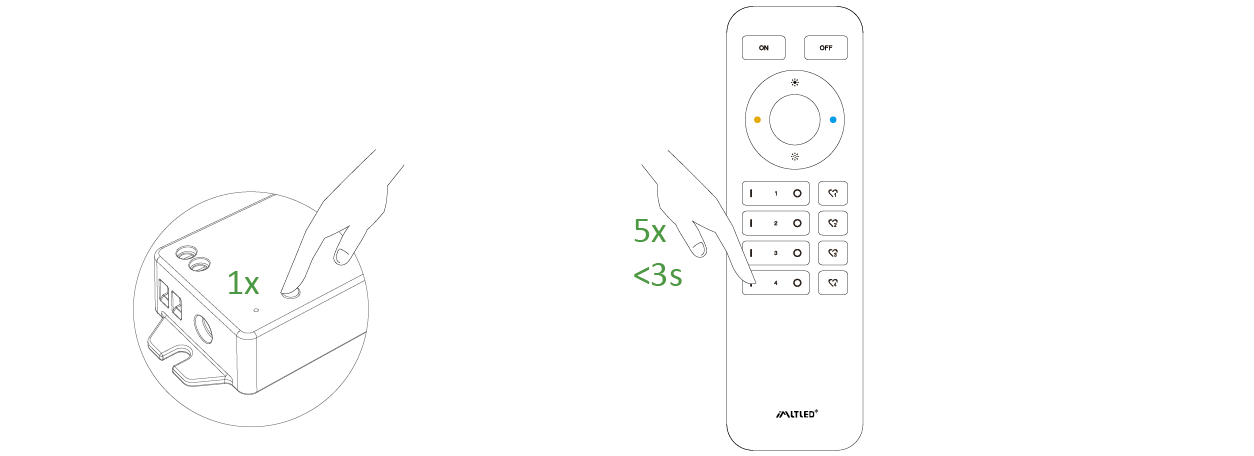
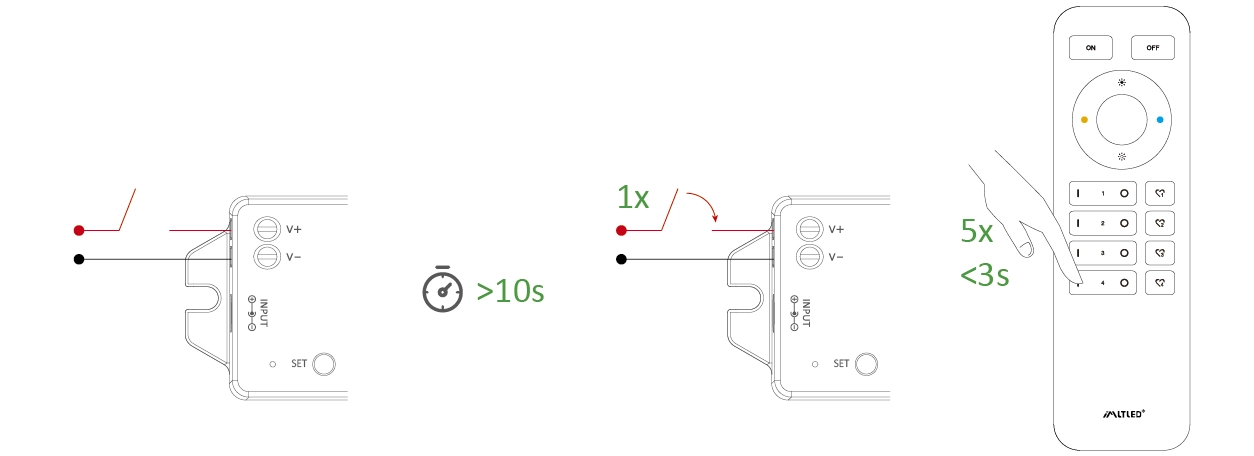
Codice di pulizia (2 soluzioni diverse) #
Soluzione 1
Premere brevemente “SET” una volta, premere brevemente “I” 5 volte entro 3 secondi
Soluzione 2
Spegnere e riaccendere, premere brevemente il tasto “I” 5 volte entro 3 secondi
La pulizia è completata se la luce lampeggia 6 volte rapidamente.
Attenzione #
- Interrompere l'alimentazione prima di collegare il dispositivo.
- Prima di collegare l'alimentatore, verificare la tensione.
- Non smontarlo se non sei un esperto.
- Non utilizzare in aree metalliche o magnetiche.