App downloaden #
Kenmerken #
- Adopt standard Bluetooth SIG Mesh protocol for intelligent networking,device relays signals automatically.
- Support direct control via smartphone Bluetooth,no internet connection required.
- Support connection to Bluetooth gateway, enabling remote control and third-party voice control.
- 2 kinds of output mode support 2 LED strip (Single color / Tunable white).
- Ondersteunt afstandsbediening op 2,4 GHz.
- Working with “Tuya Smart” app, wireless dimming, remote control, group control, create favourite scene, timmer function, music rhythm, biological rhythm, sleeping and weak up plan, automation and tap to run function.
Parameters #
| Productnaam | 2 in 1 LED Controller (BLE Mesh+2.4G) |
| Modelnr. | iL2B |
| Invoer | 12 V DC - 24 V DC |
| Uitvoer | 12A/Channel |
| Totale productie | Max. 12 A |
| Uitvoertype | Constante spanning |
| Protocol | Bluetooth SIG mesh+2.4G RF |
| Bluetooth | 5.0 |
| Control distance | 30m |
| Bedrijfstemperatuur | -20 tot 45 °C |
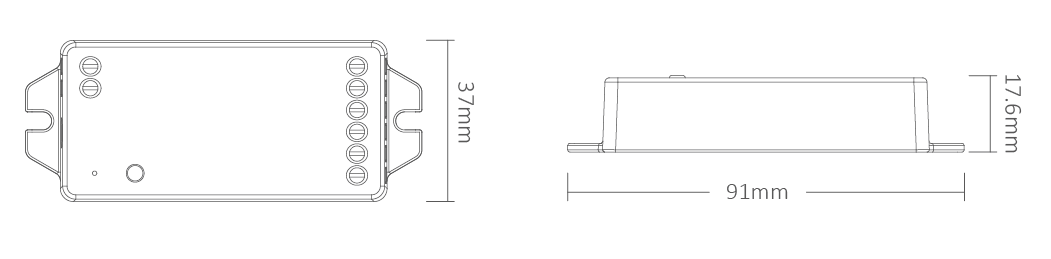
| Product Grootte | 91 × 37 × 17,6 mm (L × B × H) |
Aansluitschema #
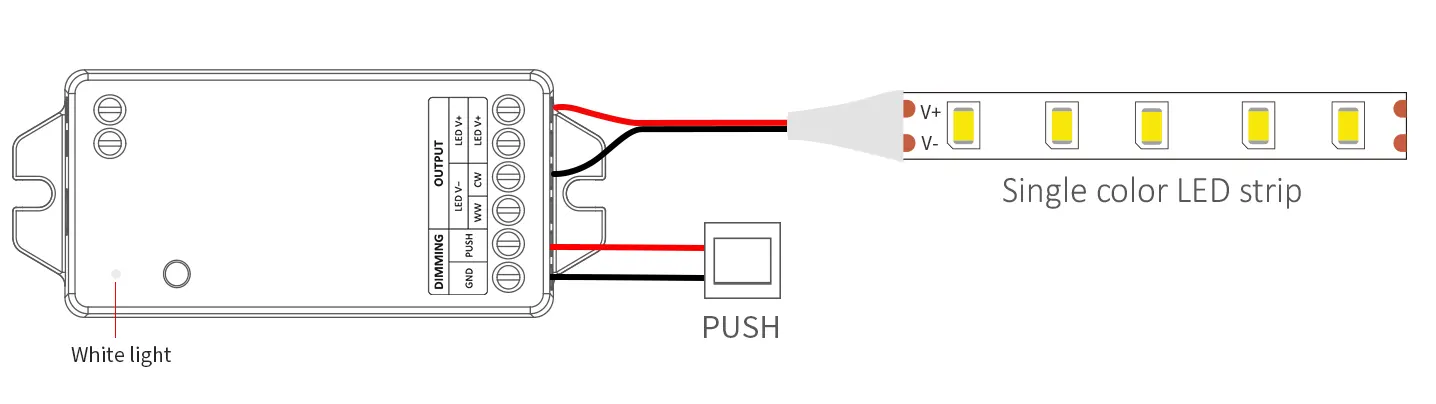
For single color LED strip (short press “SET”-white indicator)
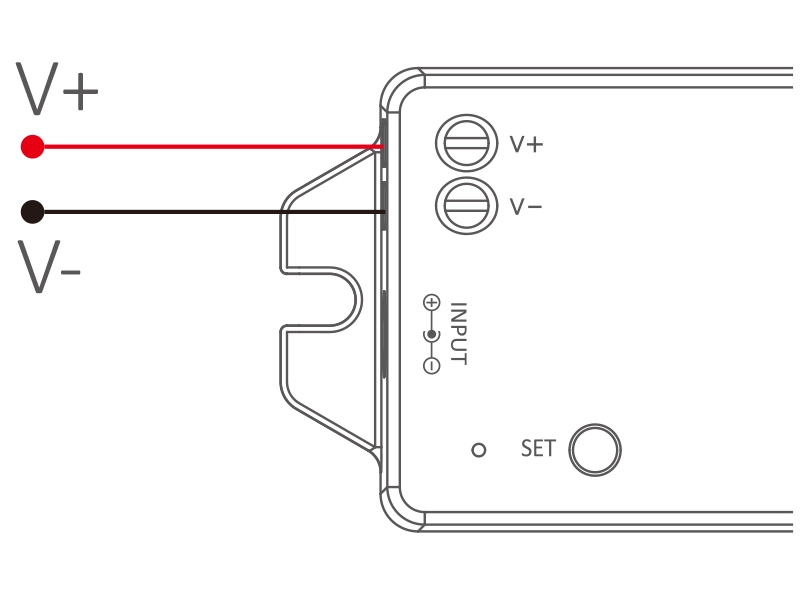
Input:DC12V-24V
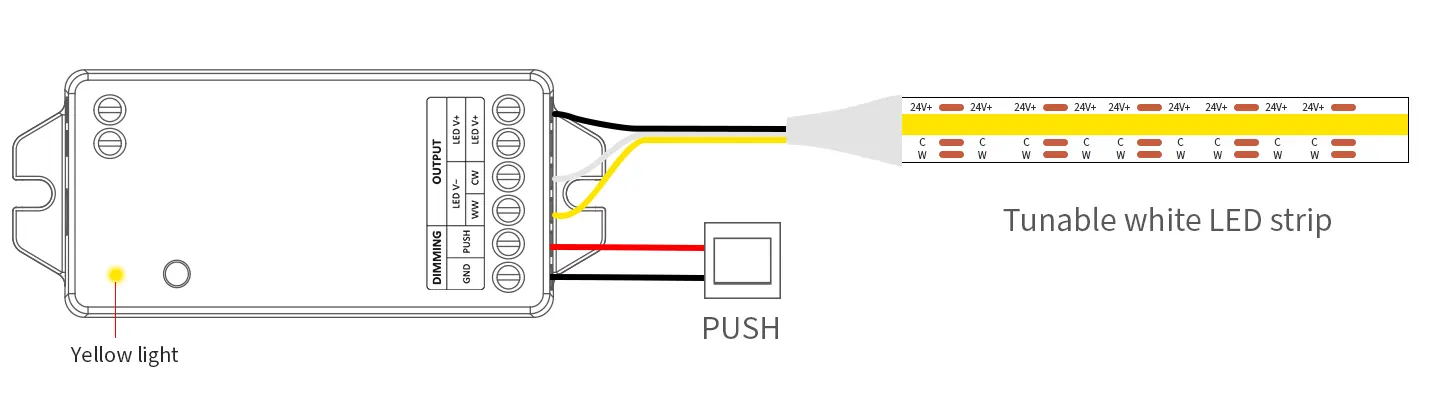
For tunable white LED strip (short press “SET”–Yellow indicator)
Input:DC12V-24V
PUSH dimming #
Short press push switch: Turn on or turn off light.
Long press push switch: Long press / release and long press again to increase or decrease brightness.
Setting PWM frequency #
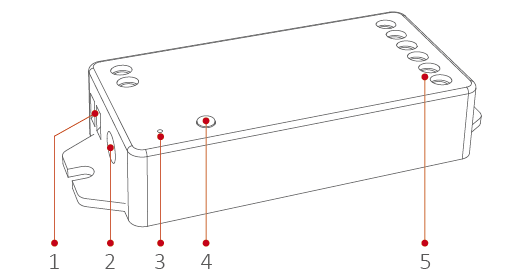
Long press “SET”until indicator flashes, short press “SET” continuously to select PWM frequency.
| Lowest | Flashing slowly | Flashing quickly | Fastest |
| 250Hz | 1KHz | 4KHz | 8KHz |
PWM frequency (changing different frequency to solve the noise problem from power adapter).
High frequency only support device with lower wattage, low frequency support device with higher wattage and have better dimming performance. Factory default PWM frequency is 4KHz.
Instellingen voor de uitvoermodus #
| Indicator | Uitvoer |
| Wit | Eén kleur |
| Geel | Instelbaar wit |
App-details #
1). Sluit de controller aan op de voedingsadapter.
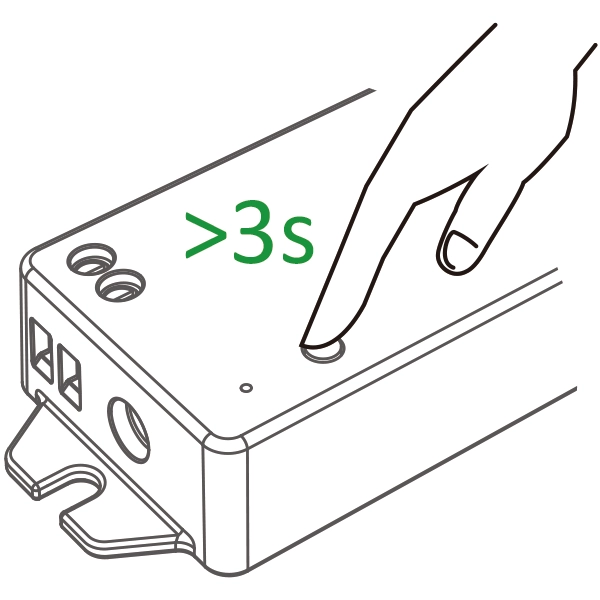
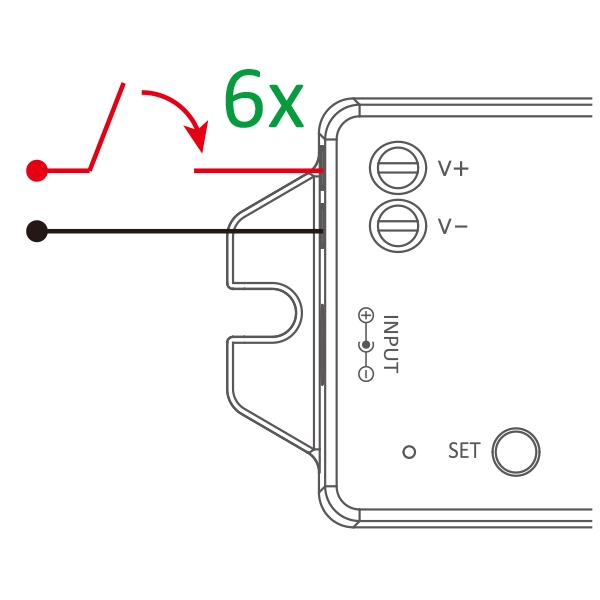
2). Het lampje knippert snel (2 keer per seconde). Houd de “SET”-knop 3 seconden ingedrukt als het lampje niet snel knippert, of schakel het apparaat 6 keer uit en weer in.
of
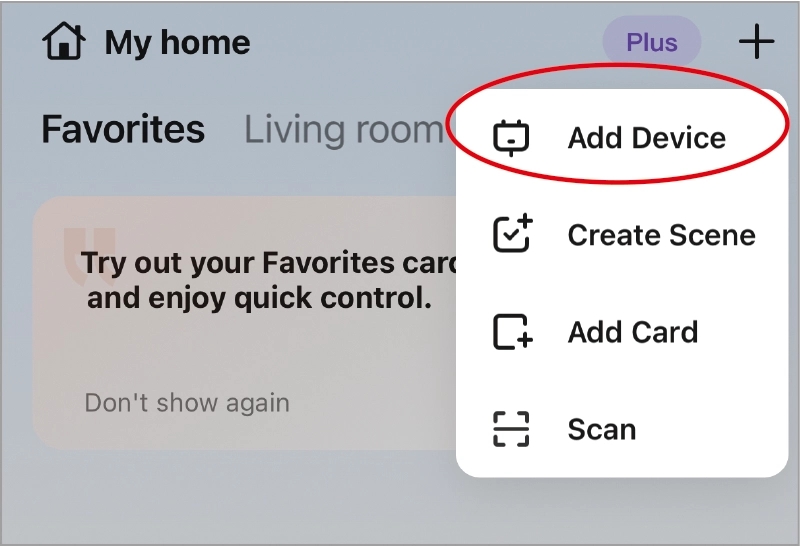
3). Open “Tuya” APP
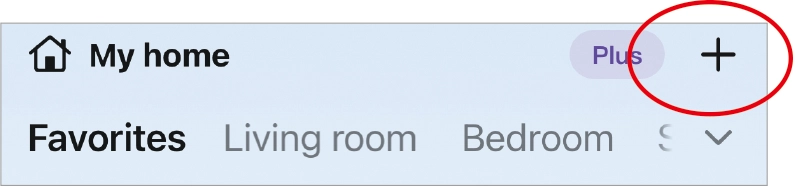
4). Click “+”
5). Click “Add Device”
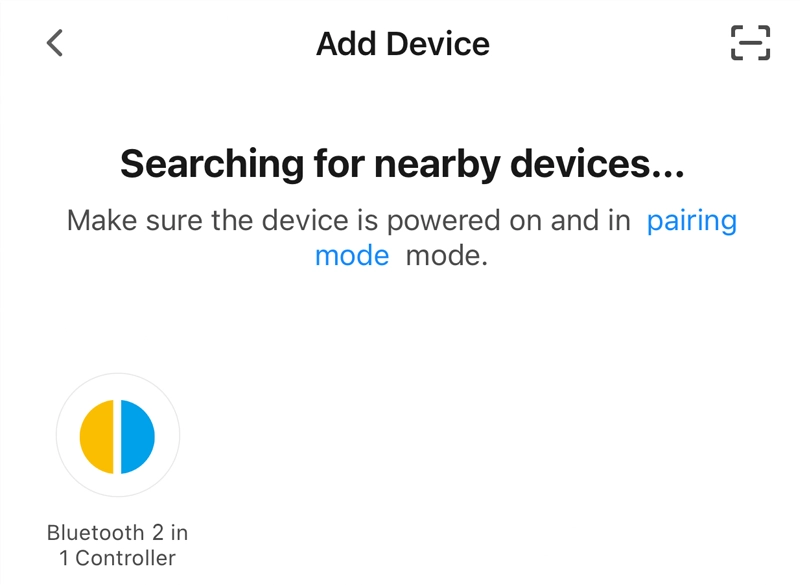
6). Automatically search for nearby devices and click it.
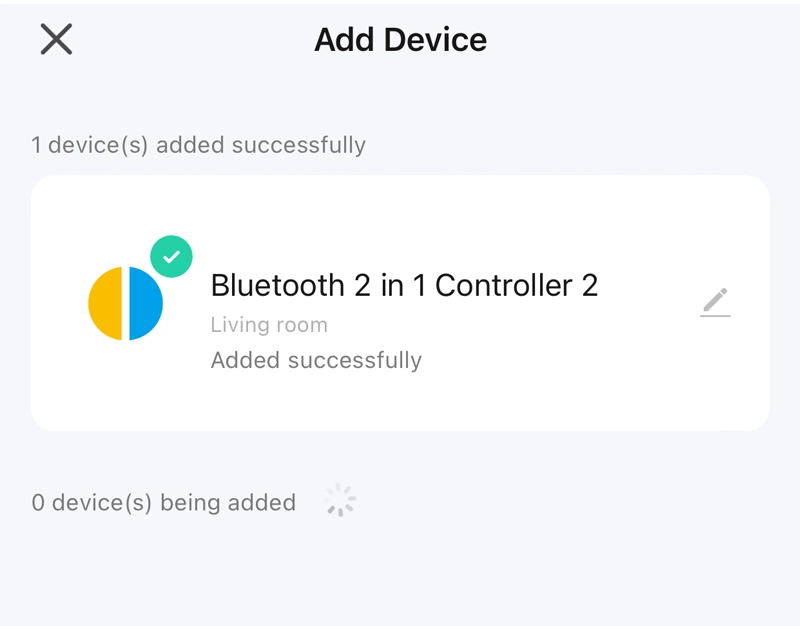
7). Device addition complete.
Lighting control #
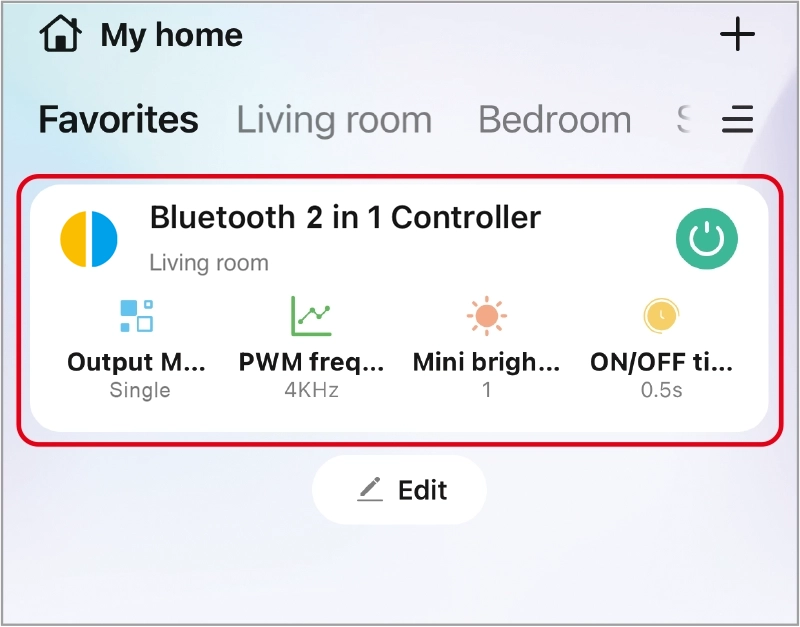
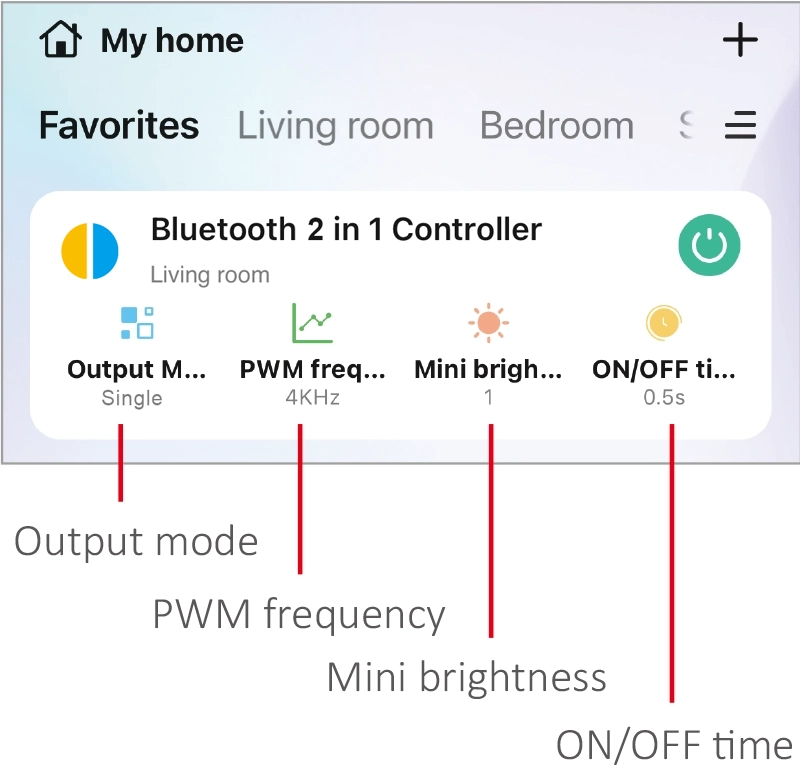
Click device to enter into main page.
- Output mode: select correct mode to compatible with led strip.
- PWM frequency: changing different frequency to solve the noise problem from power adapter.
- Mini brightness: the lowest brightness of lights.
- ON/OFF time: the light status changes gradually( factory default time is 0.5s).
High frequency only support device with lower wattage, low frequency support device with higher wattage and have better dimming performance. (Factory default PWM frequency is 4KHz).
Afstandsbediening #
Require Tuya Bluetooth gateway. #
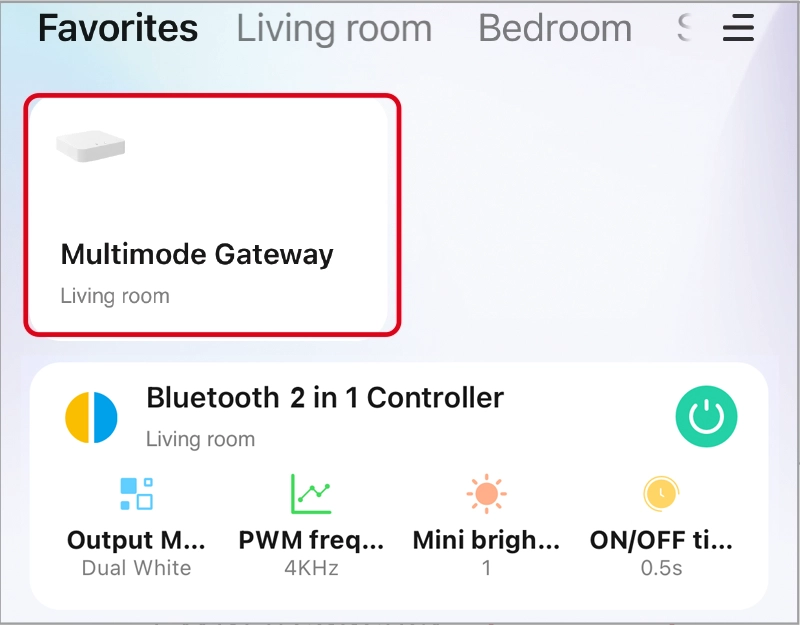
1. Add the Bluetooth gateway to the Tuya App.(Refer to the gateway user manual for details.)
2. Click “Gateway” in Tuya APP.
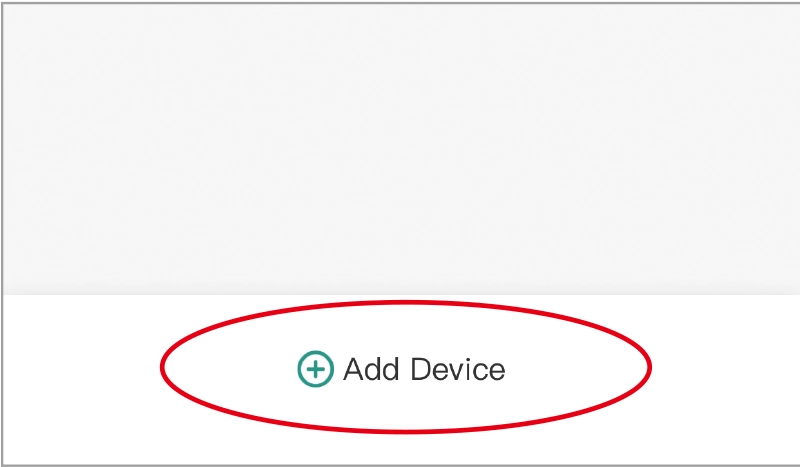
3. Click the “Add Device” button at the bottom.
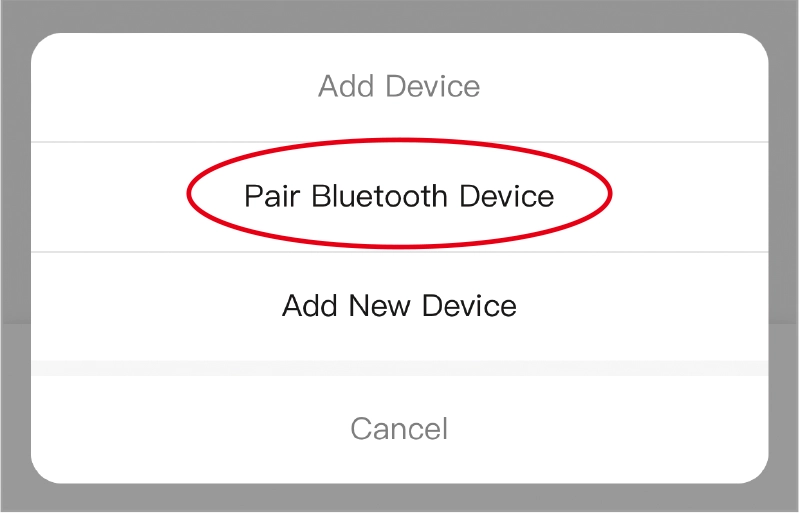
4. Click “Pair Bluetooth Device”
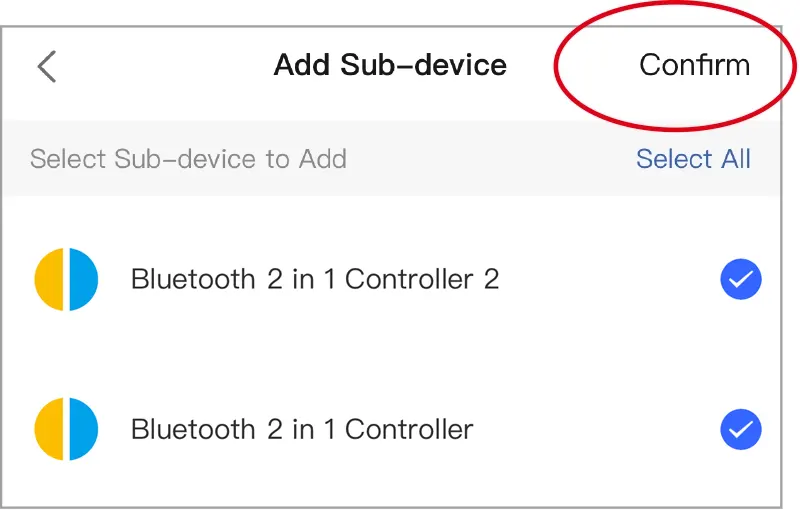
5. Select device and click “Confirm”.
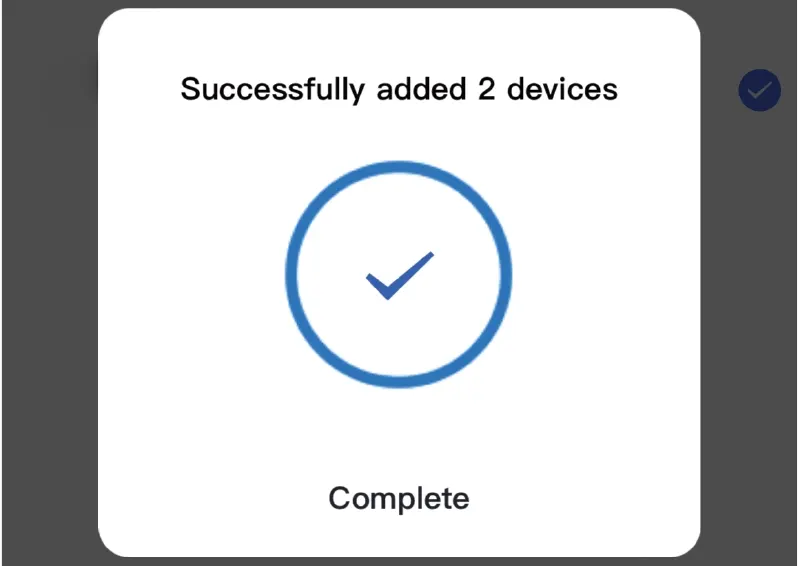
6. Device addition complete.
Voice control Details #
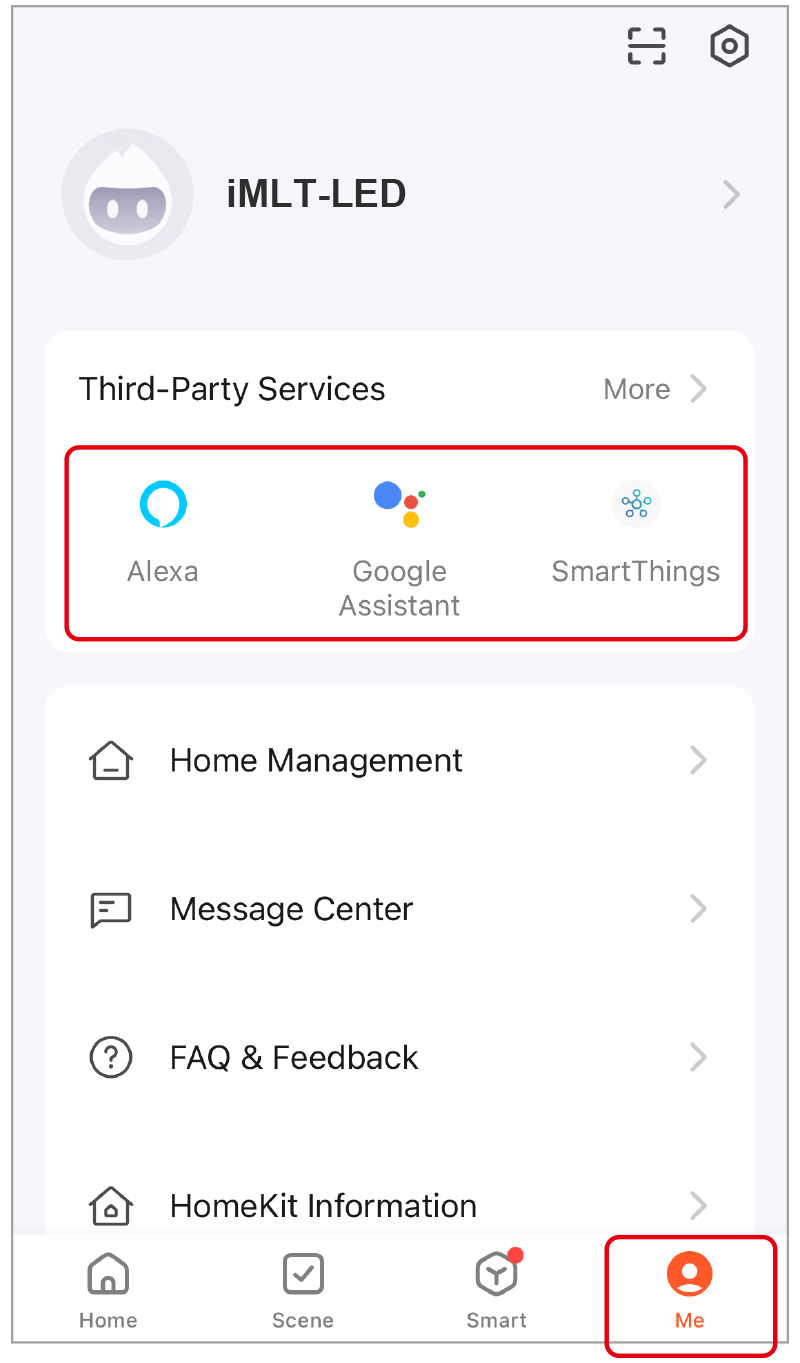
Requires Bluetooth gateway. #
Click “Me”, select the third-party service and completed setting.
2,4 GHz-afstandsbediening #
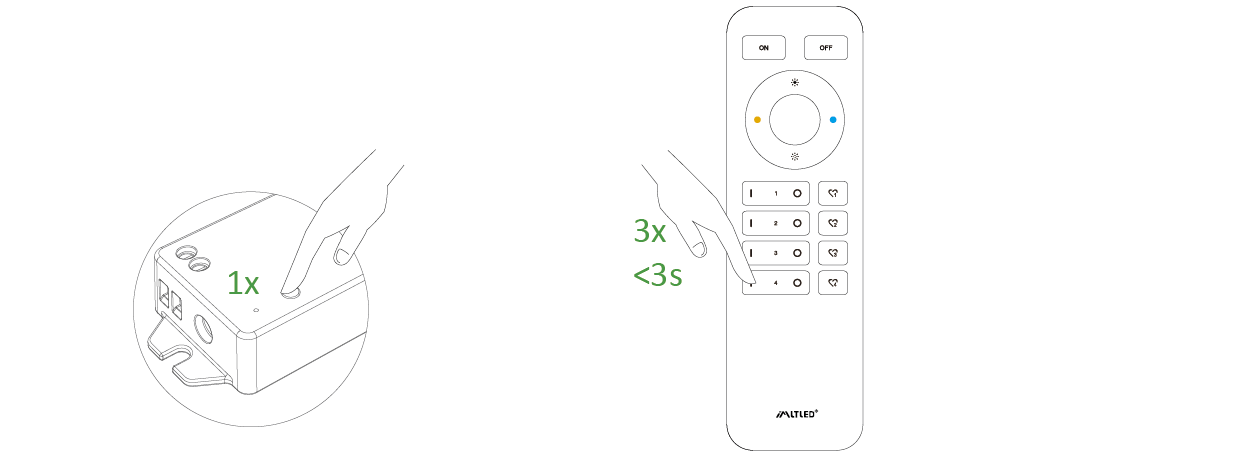
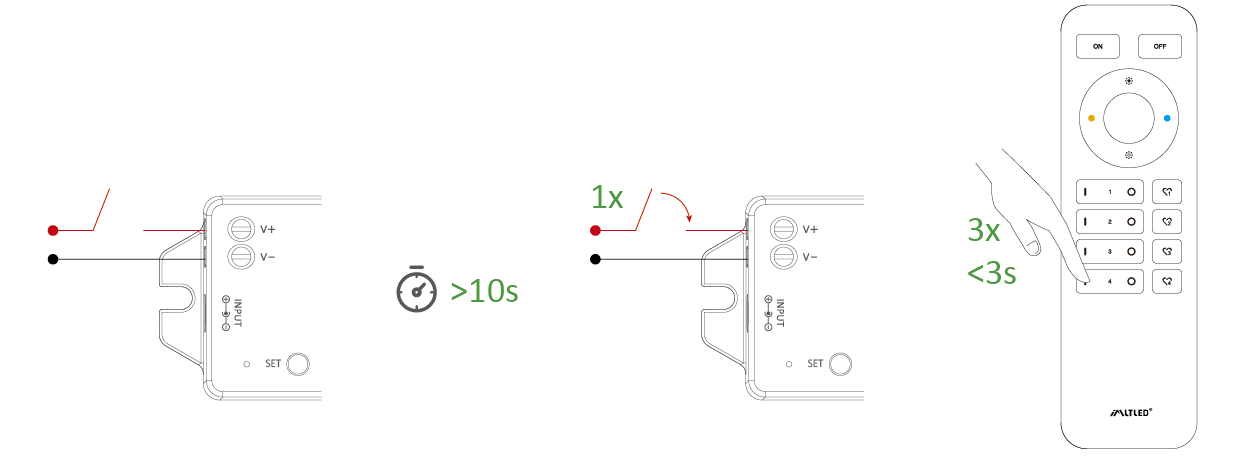
Code koppelen (2 verschillende oplossingen) #
Oplossing 1
Druk één keer kort op “SET” en druk binnen 3 seconden drie keer kort op “I”
Oplossing 2
Schakel het apparaat uit en weer in, en druk binnen 3 seconden 3 keer kort op de toets “I”
De verbinding is tot stand gebracht als het lampje 3 keer langzaam knippert
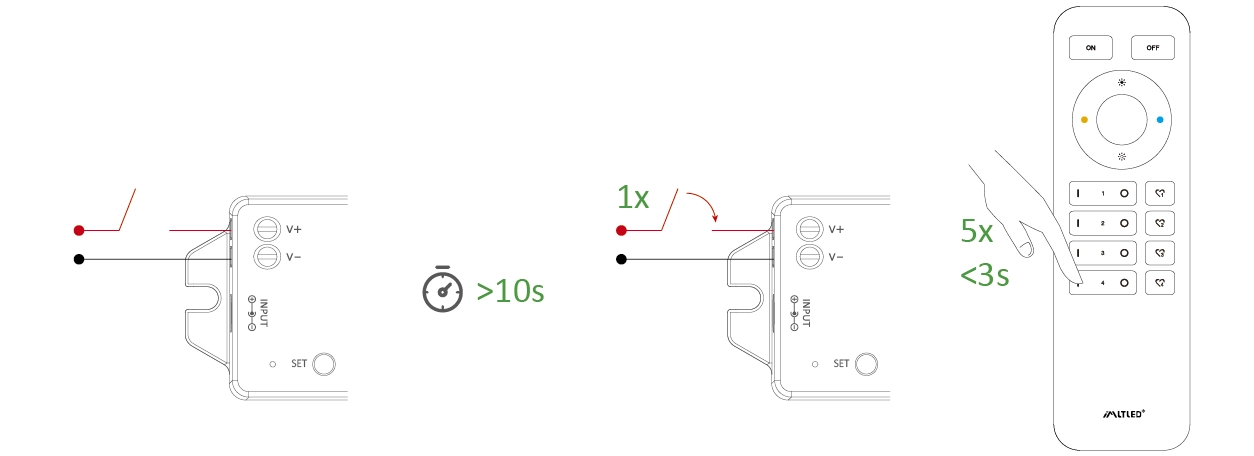
Schoonmaakcode (2 verschillende oplossingen) #
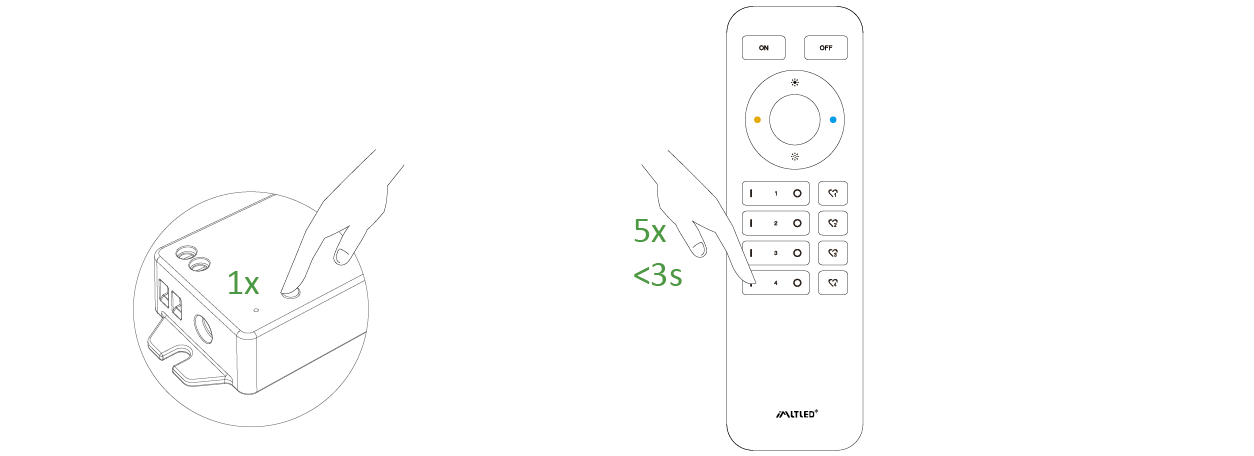
Oplossing 1
Druk 1 keer kort op “SET” en druk binnen 3 seconden 5 keer kort op “I”
Oplossing 2
Schakel het apparaat uit en weer in, en druk binnen 3 seconden 5 keer kort op de toets “I”
De reinigingscode is voltooid als het lampje 6 keer snel knippert.
Mini Brightness #
- Long press “
” or “
” 6S in any group zones until lighting fixture flashes one time (step out automatically if remote don’t be operated within 5S).
- Short press “
” or “
” in group zone to set up 10 kinds of brightness level ( 1%, 5%, 10%, 15%, 20%, 25%, 30%, 35%, 40%, 50%).
Short press any button except “OFF” to confirm or step out setting, the master “OFF”can set up all features.
ON/OFF Time #
The light status changes gradually (factory default time is 0.5s).
1.5s: Short press “ON” 1 times and short press “OFF” 5 times within 3 seconds, the setting is done once light flashes 2 times slowly.
0.5s: Short press “OFF” 1 times and short press “ON” 5 times within 3 seconds, the setting is done once light flashes 2 times quickly.
PUSH dimming #
Power On/off: Short press the button.
Switch Mode(Double click):
Color temperature mode: Change mode between
brightness and color temperature.
Adjust brightness/color temperature:
Long press to increase the value, Release and long
press again to decrease it.
Note: The system recover to brightness mode
automatically if stopping operation after 5 seconds.
Let op #
- Please cut off power before wiring device
- Please check the voltage of power adapter before connecting
- Don’t disassemble it if you are not expert
- Don’t use it in metallic or magnetic area