
Kenmerken #
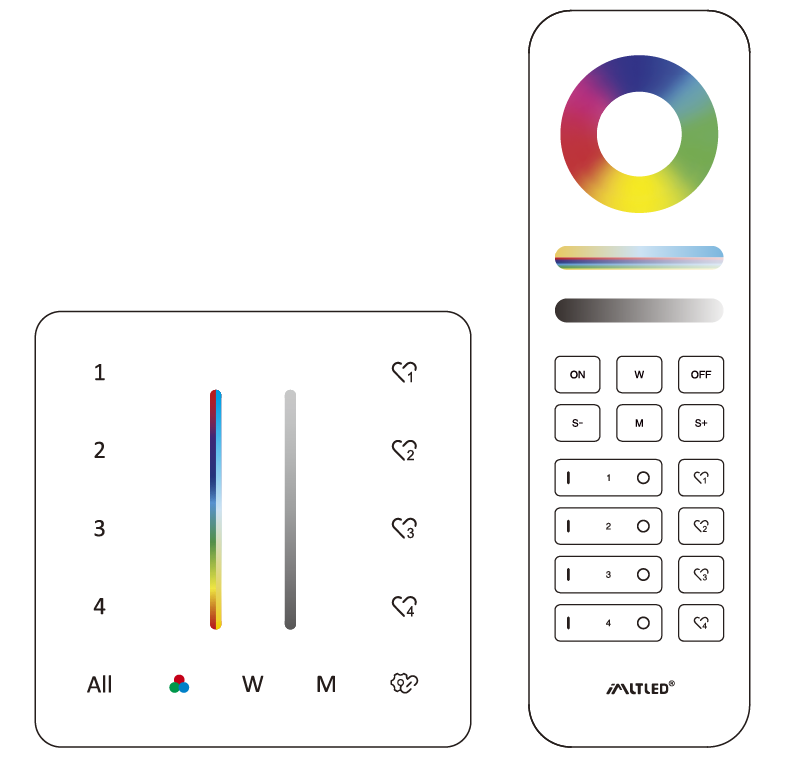
- RGB, Verzadiging, Kleurtemperatuur, Helderheid dimbaar
- 2.4G RF draadloze transmissietechnologie
- Bedieningsafstand 30 m
- 4 zones met individuele bediening, talloze lampen in elke zone.
- Ondersteuning voor het opslaan van 4 scènes
Parameters #
| Productnaam | 4-Zone RGB+CCT Panel Remote (2.4G) |
| Modelnr. | PR02 / PR02B |
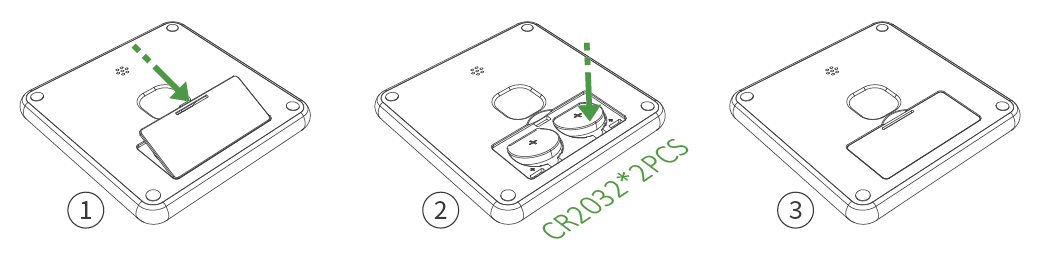
| Accu | 3V (CR2032*2 stuks) |
| Stroomverbruik in stand-by | 8 μA |
| Zendvermogen | 6 dBm |
| RF | 2,4GHz |
| Controle afstand | 30m |
| Bedrijfstemperatuur | -20 tot 45 °C |
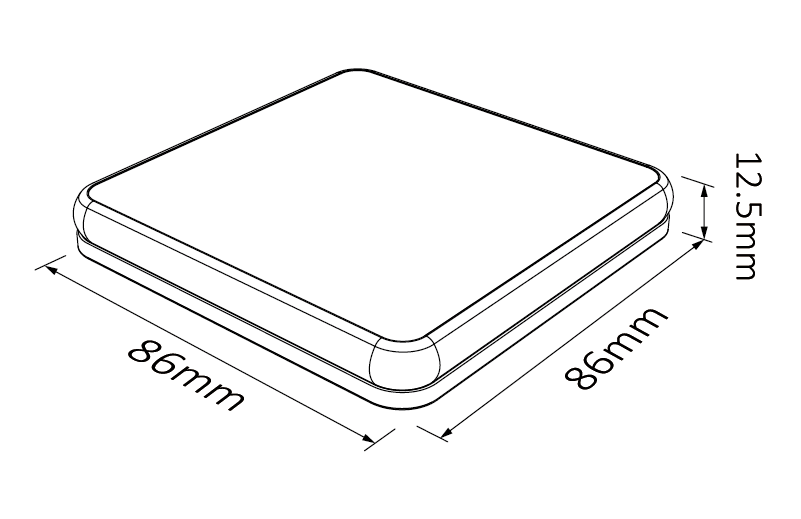
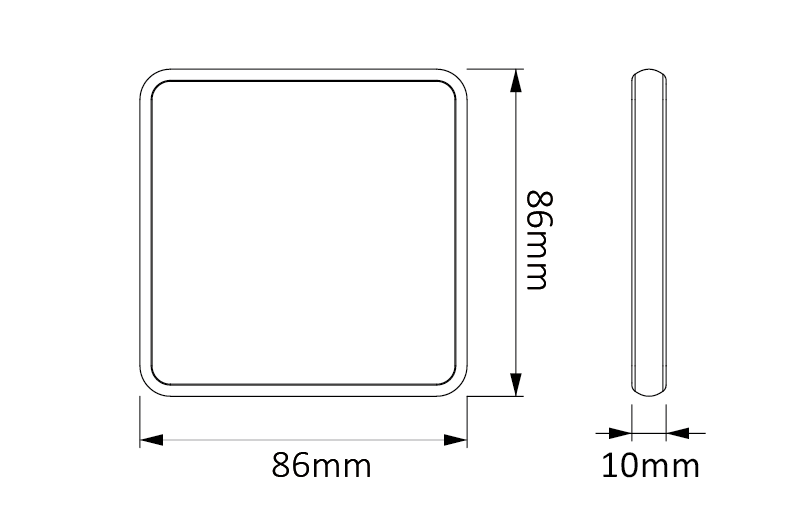
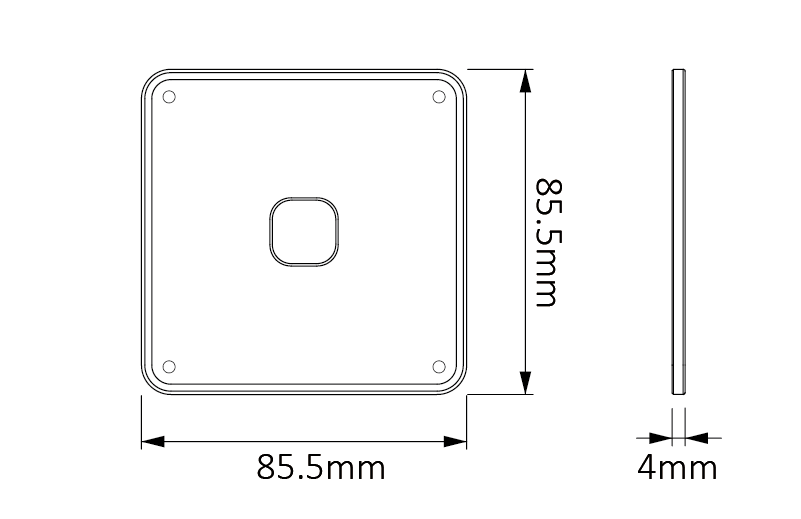
| Product Grootte | 86*86*12.5mm (L*W*H) |
Batterijinstallatie #
De gebruiker dient de batterij apart aan te schaffen; let daarbij op de plus- en minpool van de batterij.“
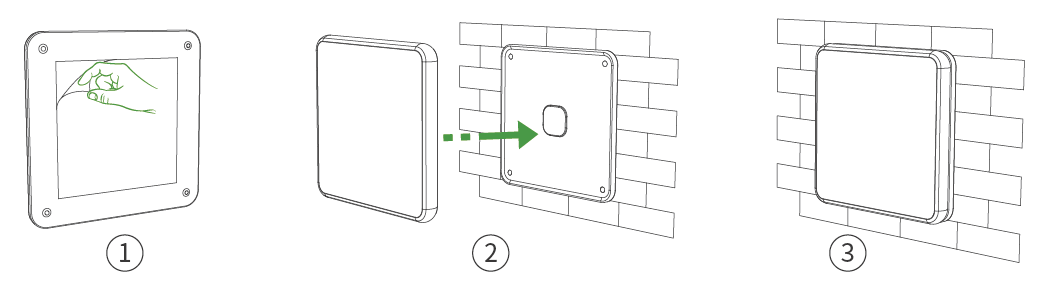
Magnetic Base Holder Installation #
- Remove the back sticker and stick it on smooth wall.
- Please ensure that the wall is clean without any dirty or oil impurities.
Sleutelbeschrijving #
Korte persberichten: ON/OFF
Long Press: Schakel het licht uit.
Lang indrukken (2 seconden): Activeer de nachtlichtmodus
Indicator status:
OP: Current zone is selected
Indicator Flashing: The light is OFF
Korte persverklaring: Scènes activeren
Lang indrukken: Scènes opslaan
Linkcode #

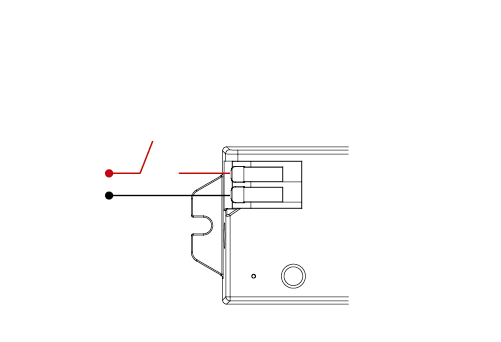
1. Schakel het apparaat uit.
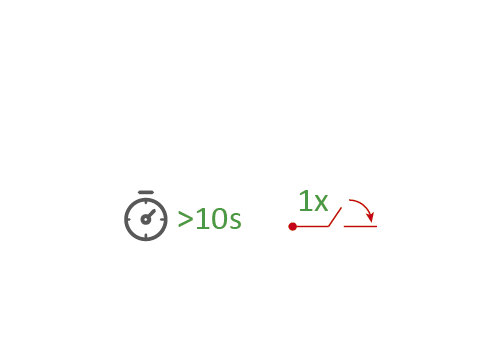
2. Schakel het licht na 10 seconden in.
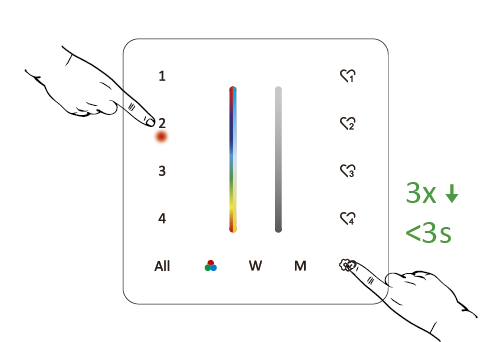
3. Short press “
” 3 times within 3 seconds
De koppelingscode is voltooid als de lampjes 3 keer langzaam knipperen.
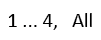
Don’t use “ All ” to link code. You only can link lights into one zone on one remote.
Reinigingscode #

1. Schakel het apparaat uit.

2. Schakel het licht na 10 seconden in.
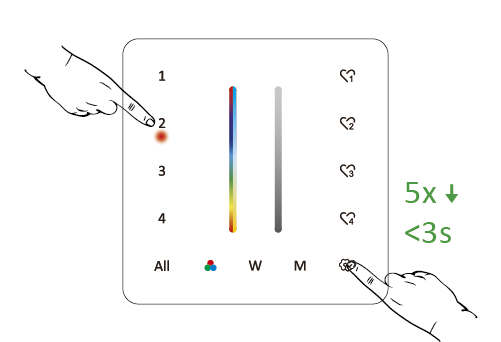
3. Short press “
” 5 times within 3 seconds
De reinigingscode is voltooid als de lampjes 6 keer snel knipperen.
Don’t use “ All ” to Cleaning code.
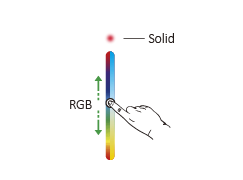
RGB and Saturation Control #
Short press ”
” one time to activate RGB control. Short press ”
” continuously to select R, G, B
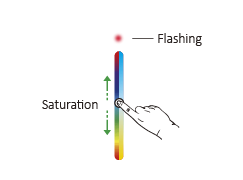
Long press ”
” one seconds to activate saturation control
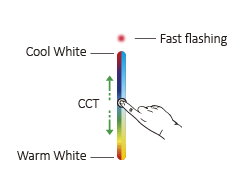
CCT and Brightness Control #
Short press ” W ” one time to activate CCT control
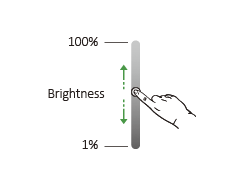
Brightness dimmable
Dynamic Mode #
Short press” M ” to activate dynamic mode
Short press” M ” continuously to change mode
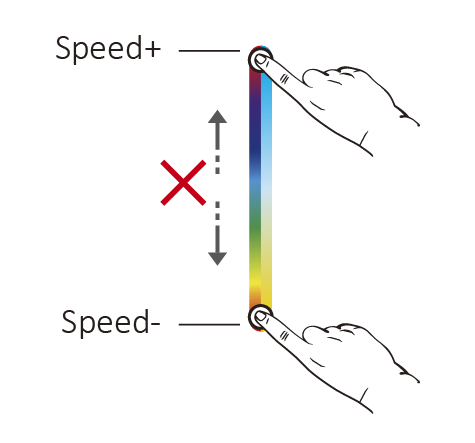
Speed: Long press ” M ” until indicator flashes to change speed
Let op: it will step out if don’t have any operation within 5 seconds
Kopieerfunctie #
De afstandsbediening heeft een kopieerfunctie. Hiermee kunnen koppelingsgegevens van een andere afstandsbediening worden gekopieerd. Gebruikers hoeven de huidige afstandsbediening niet opnieuw te koppelen als het kopiëren van gegevens succesvol is verlopen.
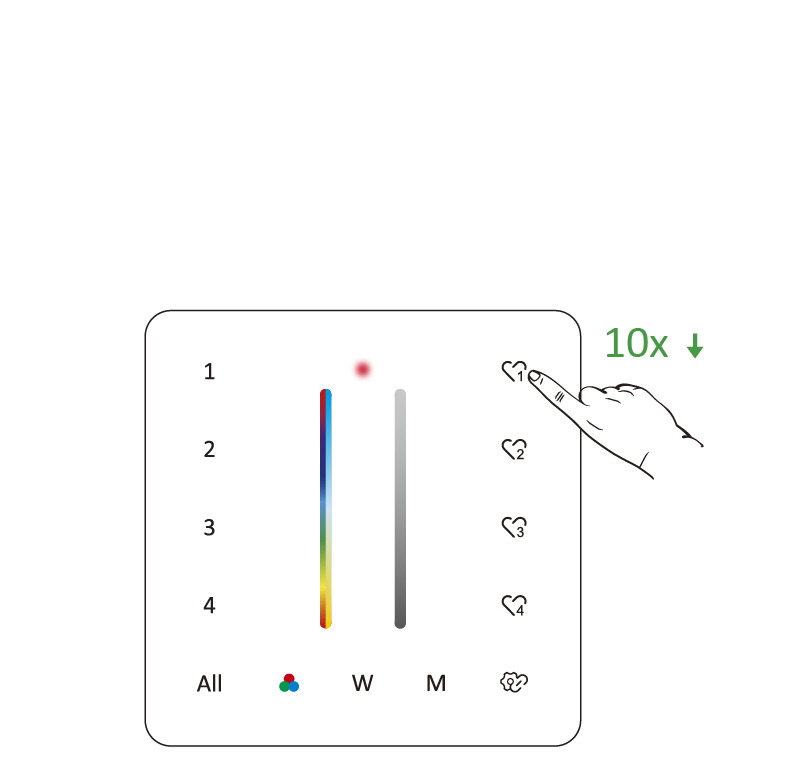
1. Activate copying function:
Druk op "”
” 10 times continuously
2. Press any button from another remote to finish copying.
Let op: Copying is done if indicator flashes 3 times slowly.
Netjes kopiëren #
Druk op "”
”Herhaal dit 15 keer totdat het indicatielampje 6 keer knippert.
Tijdinstelling (aan/uit-lampje) #
0,5S: Druk op "”
”"10 keer achter elkaar totdat het lampje 2 keer knippert.".
1.5S: Druk op "”
”"15 keer achter elkaar totdat het lampje 2 keer knippert.".
Niet storen-modus (AAN/UIT) #
OP: Druk op "”
”"Tien keer achter elkaar totdat het lampje vier keer snel knippert.".
UIT: Druk op "”
”"15 keer achter elkaar totdat het lampje 4 keer langzaam knippert.".
PWM-frequentie (hoog/laag) #
Hoog: Druk op "”
”"10 keer achter elkaar totdat het lampje 1 keer knippert.".
Laag: Pers”
”"15 keer achter elkaar totdat het lampje 1 keer knippert.".
Let op: De andere frequentie kan het piepende geluid van het lichtnet voorkomen.
Mini-helderheid #
- Long press ”
” 3S until indicator is flashing (step out automatically if remote don’t be operated within 5S). - Short press ”
” to set up 10 different levels (1%, 5%, 10%, 15%, 20%, 25%, 30%, 35%, 40%, 45%, 50%). Press any button to step out.
Lock RGB Slider #
Pers”
” 15 times continuously until the indicator flashes 6 times.
Lock all Slider #
Pers”
” 20 times continuously until the indicator flashes 3 times slowly.
Release Locking #
Pers”
” 10 times continuously until the indicator flashes 3 times.
Key Tone ( ON/OFF) #
UIT: Long press ” All ” until the key tone is OFF.
OP: Long press ” All ” until the key tone is ON.
Let op #
- Let tijdens de installatie goed op de plus- en minpool van de batterij.
- Het is beter om de batterij te verwijderen als je de afstandsbediening niet vaak gebruikt.
- Gebruik de afstandsbediening niet in de buurt van metalen of magnetische oppervlakken.