Descarga de la aplicación #
Escanee el código QR o haga clic en el botón para descargar. “Tuya Inteligente” aplicación
Características #
- Este producto está fabricado con tecnología de transmisión inalámbrica WiFi+BLE+2.4G, de bajo consumo y con gran capacidad para resistir la pérdida de señal.
- Compatible con control remoto de 2.4G.
- Working with “Tuya Smart” app, wireless dimming, group control, timer function.
- Support Alexa, Google Assistant, Yandex Alice.
- 1-channel output, Max 1.5A.
- Trailing edge phase-cut dimming.
- Supports minimum brightness setting.
- Built-in temperature detection switch.
Parámetros #
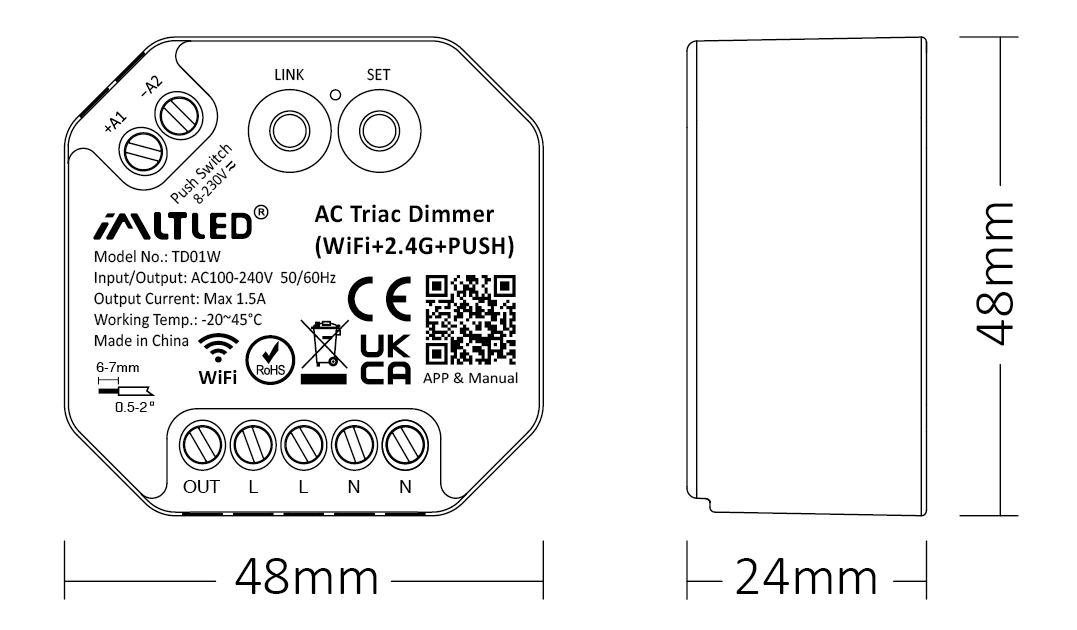
| Modelo No: | TD01W |
| Input / Output: | AC100-240V 50/60Hz |
| Corriente de salida: | Max 1.5A |
| Output Power: | 150W@110V, 300W@220V |
| Control Signal: | WiFi + 2.4G + PUSH |
| Control Distance: | 30m |
| IP Rate: | IP20 |
| Working Temp.: | -20~45°C |
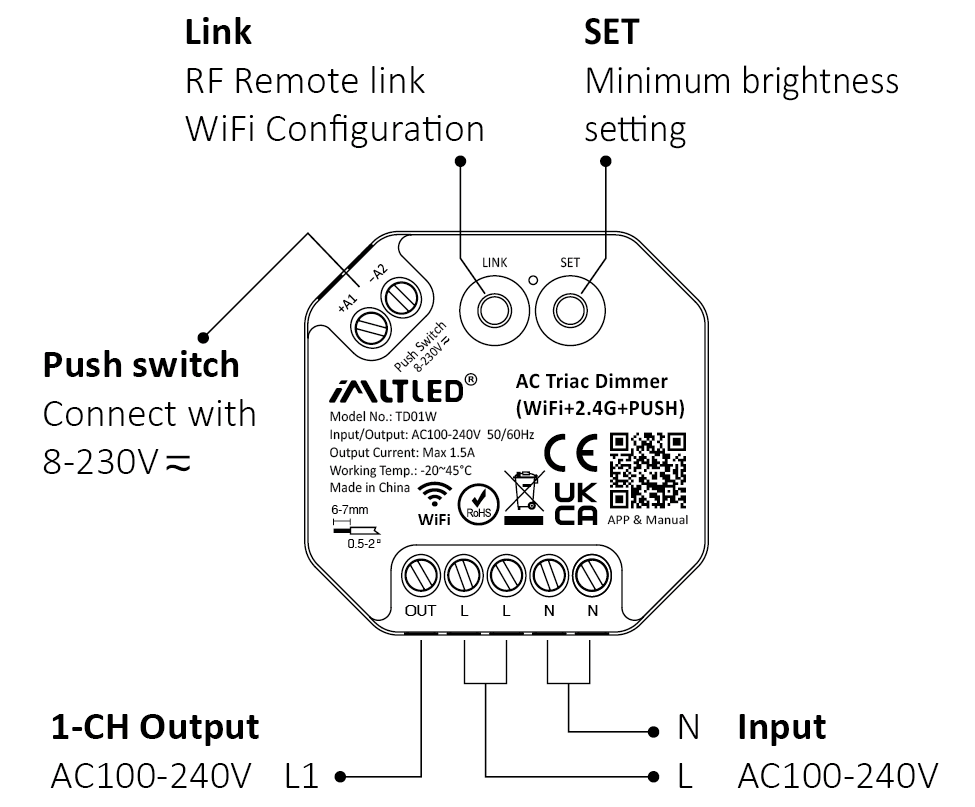
Diagrama de conexión #
Atención
1. Please cut off power before wiring device.
2. Please check the voltage of power before connecting.
3. It’s high voltage product which need to wire ground line.
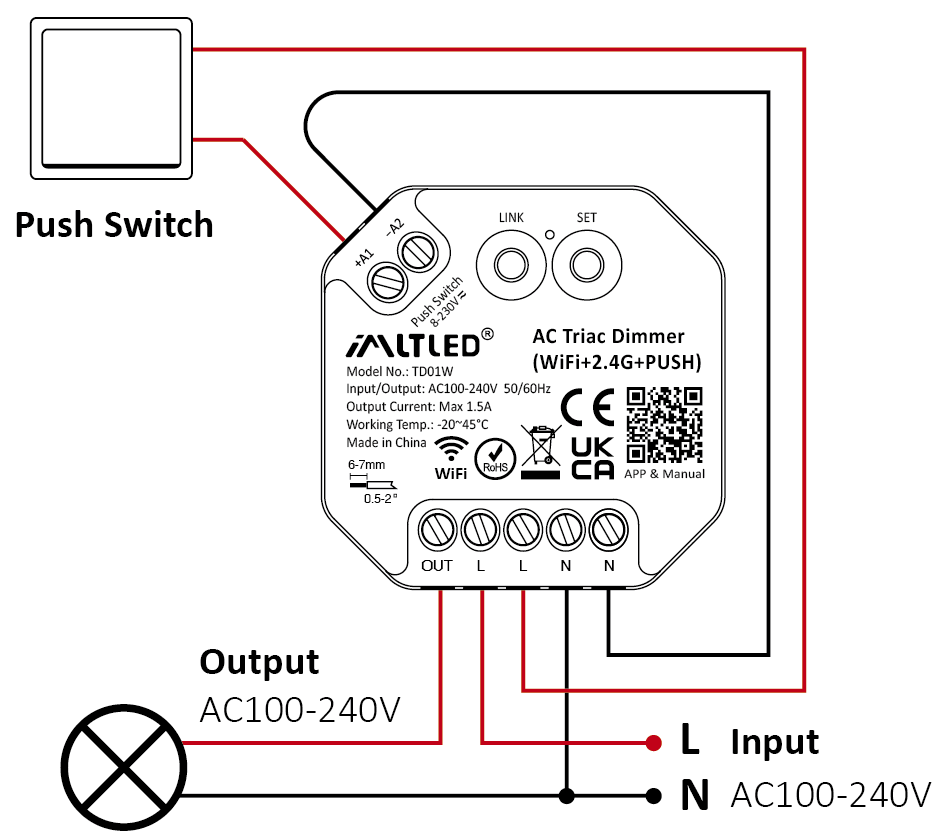
PUSH Dimming #
Short press push switch : Turn on/off light
Long press push switch:
- Stepless dimming brightness
- Long press double times to increase or decrease brightness
Atención #
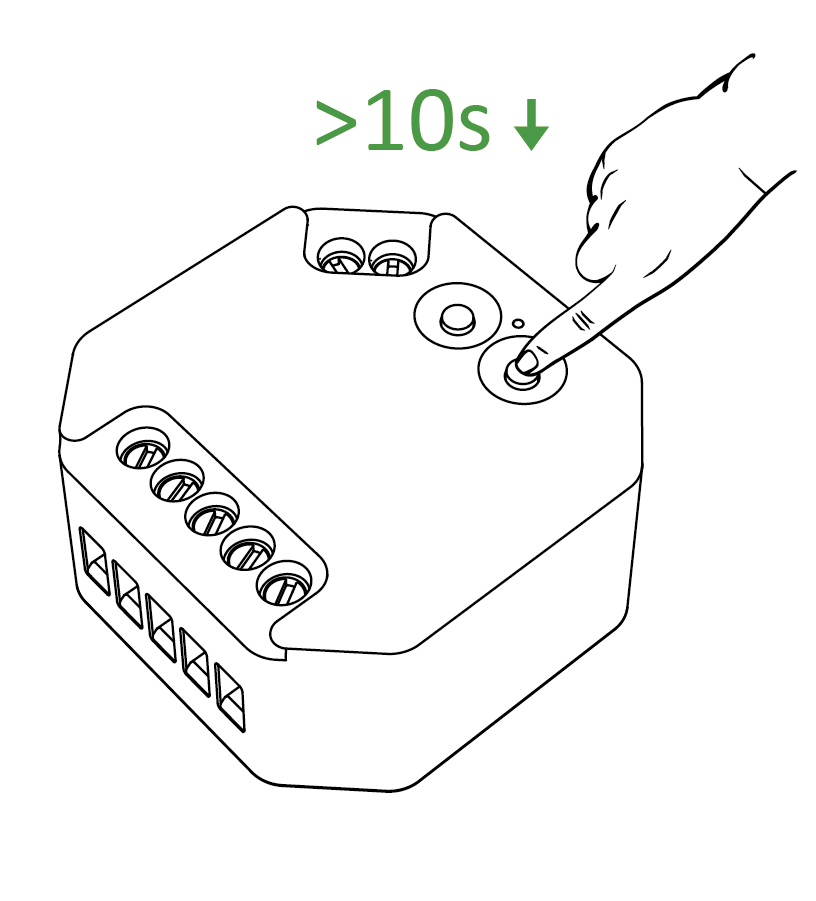
- One push switch can connect with various dimmer,please long press push switch 20 seconds to keep all lights in the same brightness.
- One push switch only connect with 25 dimmers (max)
- The cable of push switch can not be over 20m
Detalles de la aplicación #
Agregar dispositivo #

1). Conecte el controlador al adaptador de corriente.
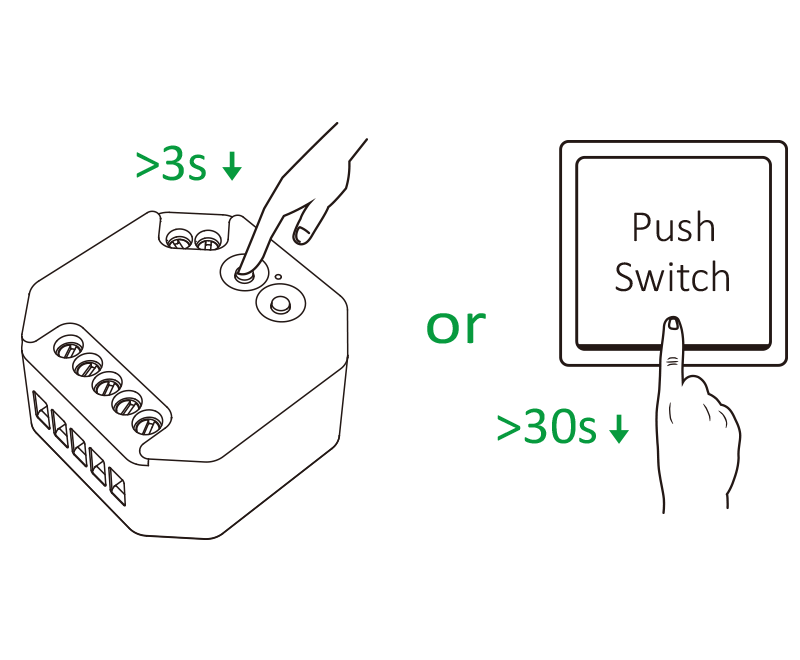
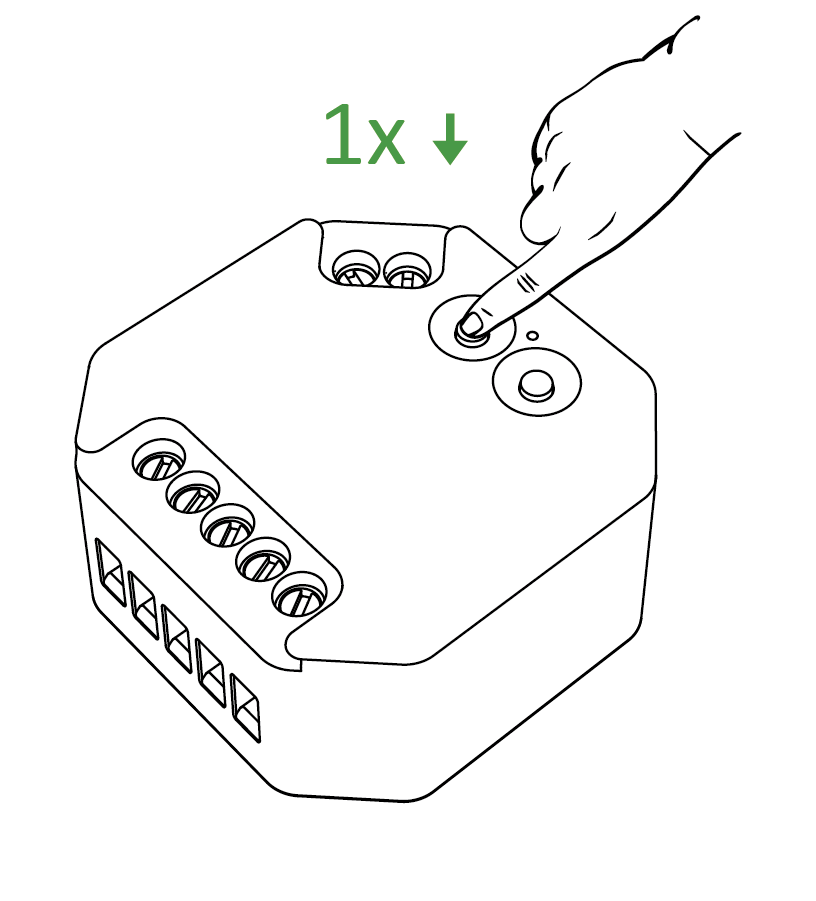
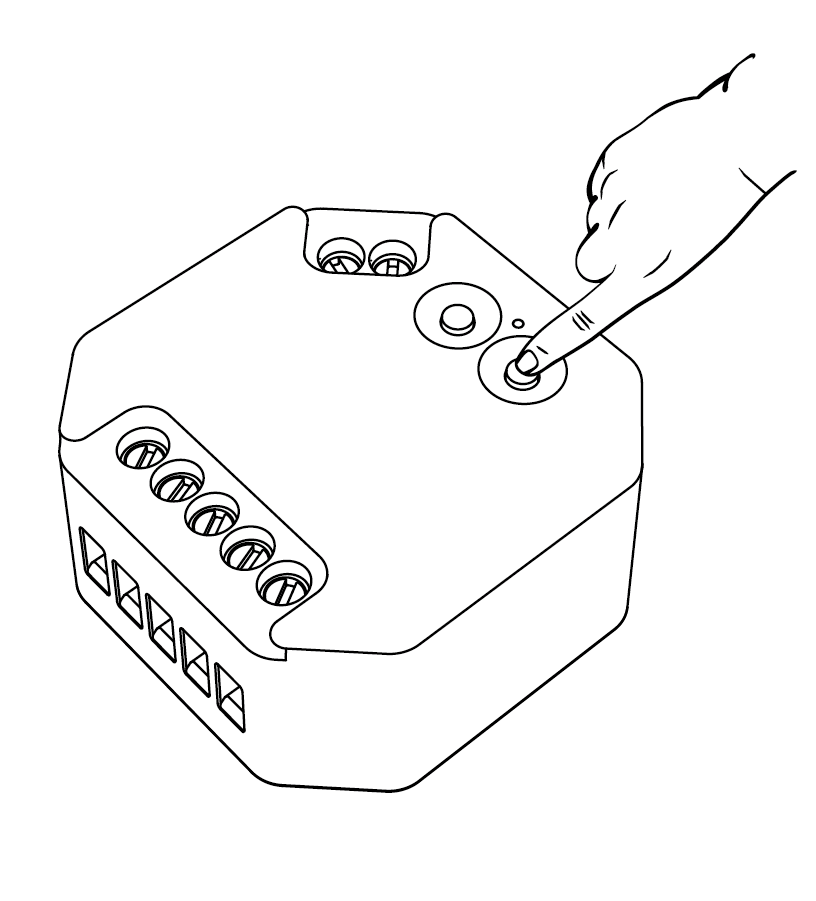
2). Long press “LINK” 3 seconds or long press “ Push Switch ” 30 seconds if indicator doesn't blink quickly
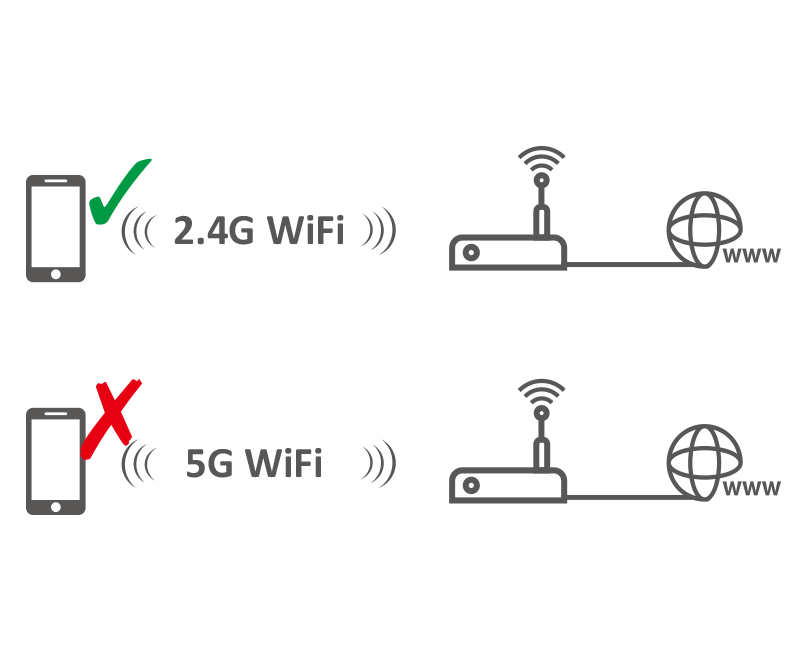
3). Conecte el teléfono inteligente con 2.4Ghz WiFi
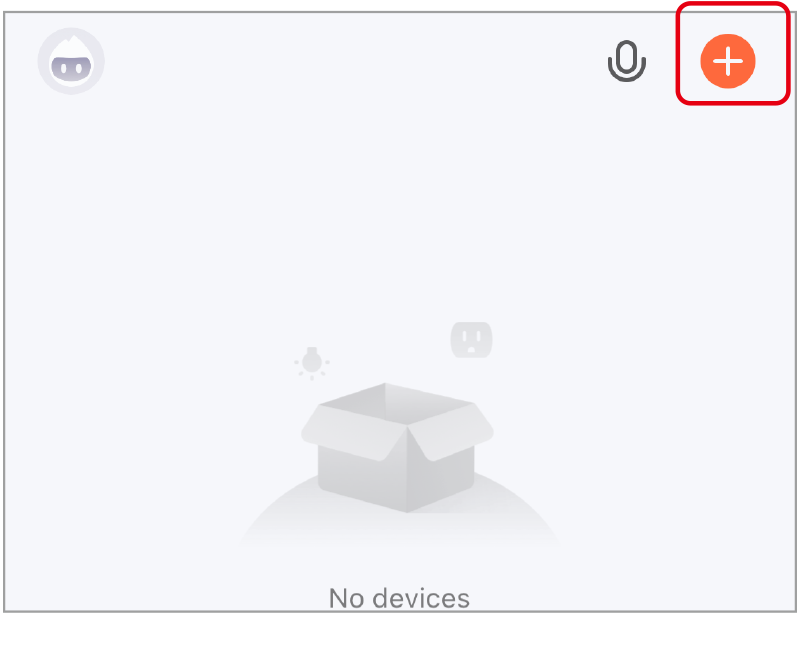
4). Haz clic en “+”
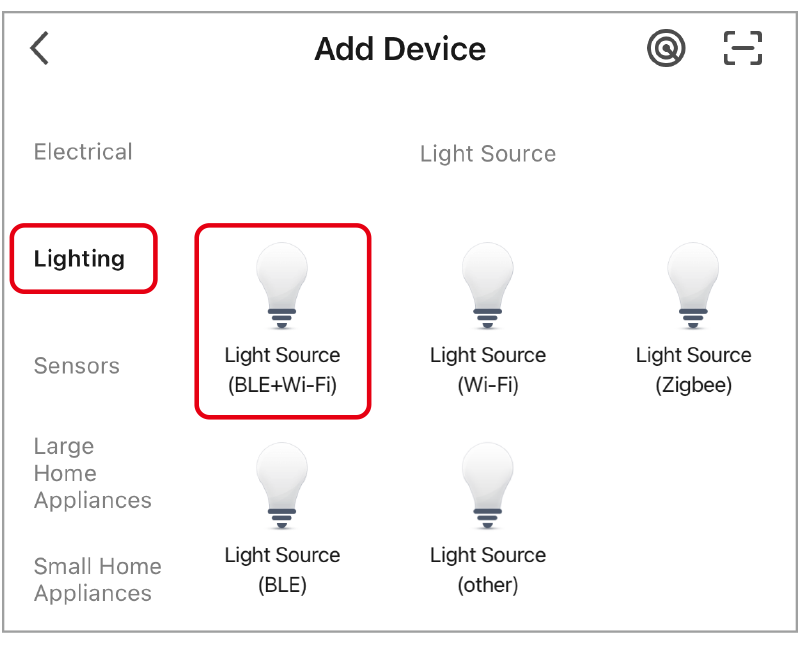
5). Seleccione “iluminación” y “fuente de luz (BLE+wifi)”, y complete los pasos restantes en la aplicación.
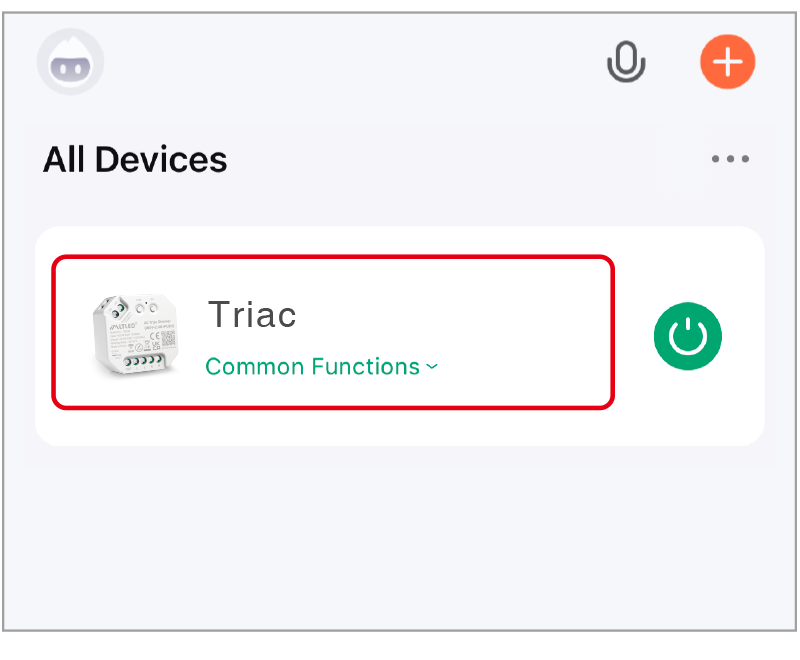
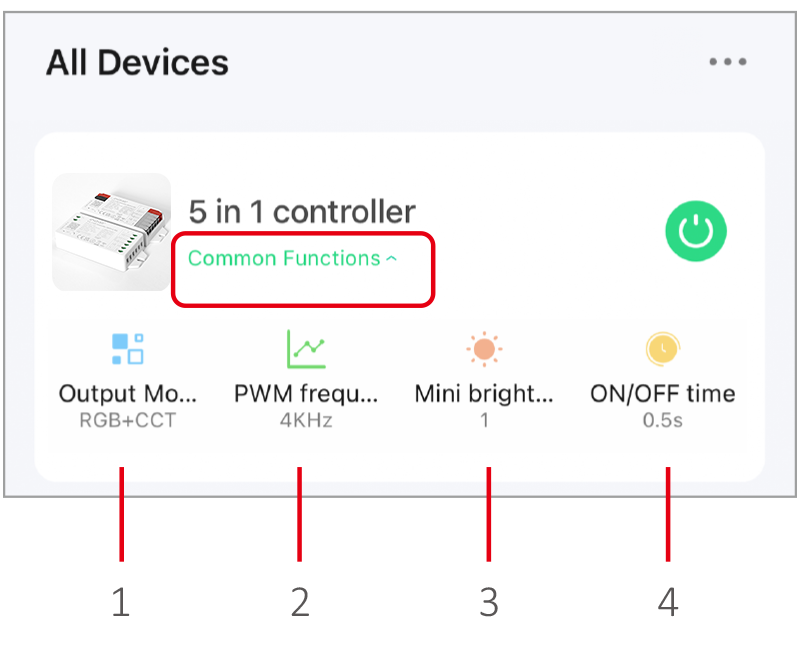
6). Haga clic en el dispositivo para acceder a la página principal.
- Modo de salida: seleccione el modo correcto para que sea compatible con la tira de LED.
- frecuencia PWM: cambiar a una frecuencia diferente para resolver el problema de ruido del adaptador de corriente.
- Mini brillo: el brillo mínimo de las luces.
- Tiempo de encendido/apagado: El estado de la luz cambia gradualmente (el tiempo predeterminado de fábrica es de 0,5 s).
La alta frecuencia solo admite dispositivos de menor potencia, mientras que la baja frecuencia admite dispositivos de mayor potencia y ofrece un mejor rendimiento de atenuación. (La frecuencia PWM predeterminada de fábrica es de 4 kHz).
Detalles del control por voz #
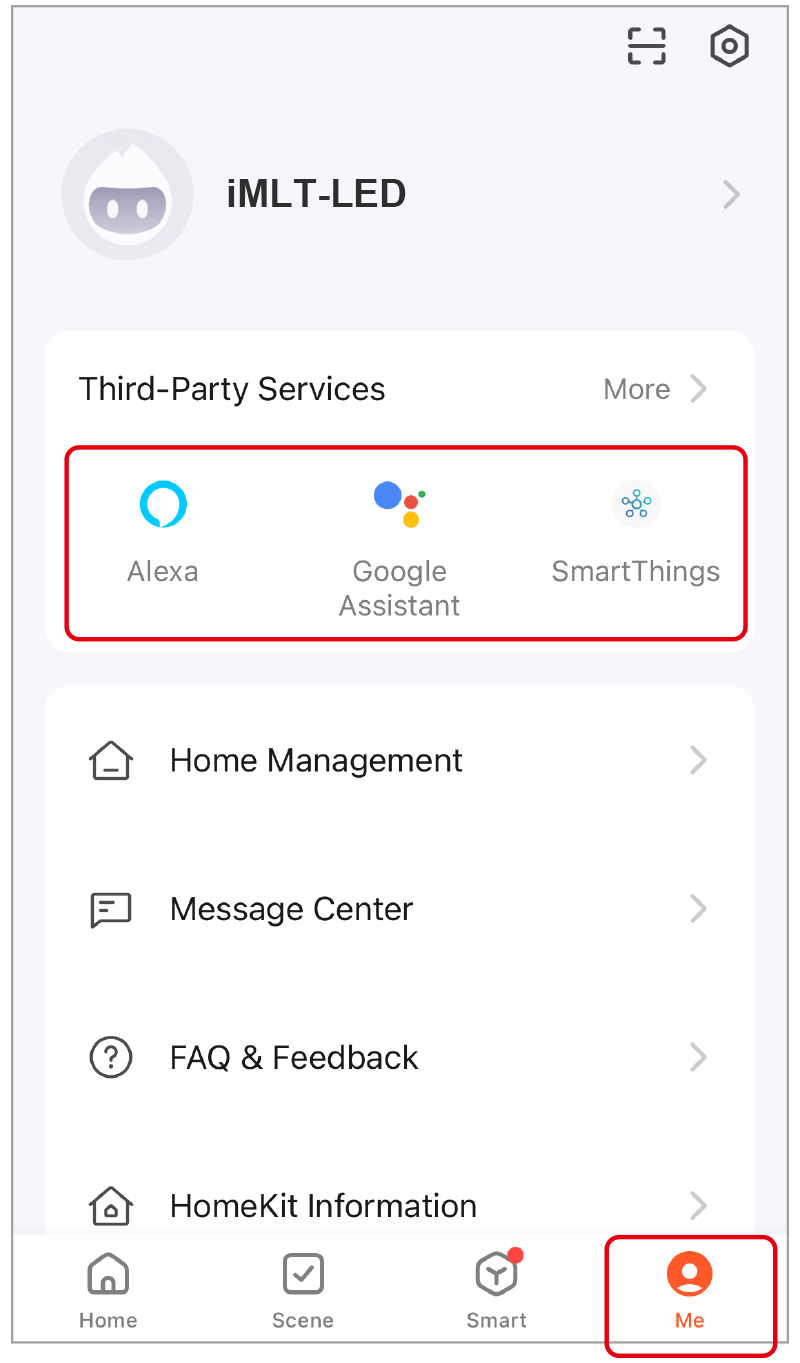
Haz clic en “Yo”, selecciona el servicio de terceros y completa la configuración.
Control remoto 2.4G #
Código de enlace (2 soluciones diferentes) #
Method 1
Short press “ LINK ” 1 time, short press “ I ” on the remote 3 times within 3 seconds.
Method 2
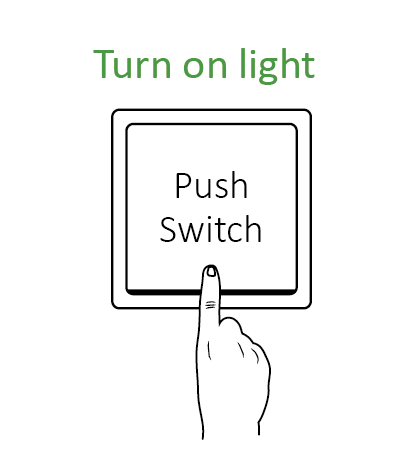
Press “ Push switch ” and turn on light, short press “ I ” on the remote 3 times within 3 seconds.
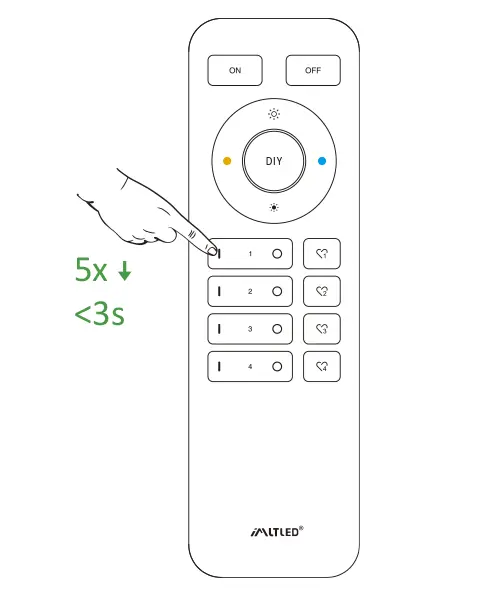
Short press “ I ” 3 times within 3 seconds. Linking code is done if the lights flashes 3 times slowly.
Don’t use “Master ON” to link code. You only can link lights into one zone on one remote.
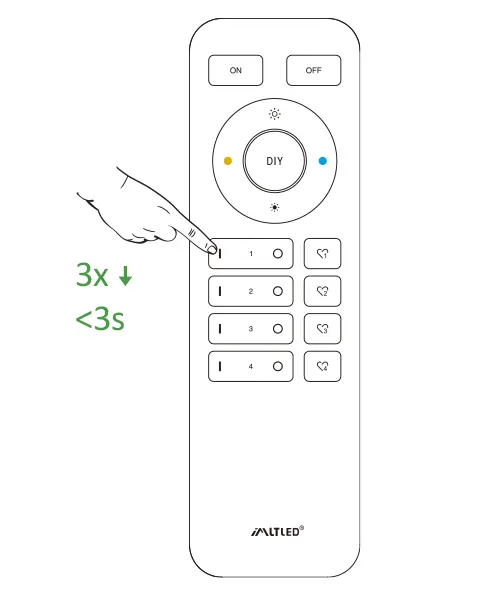
Código de limpieza (2 soluciones diferentes) #
Method 1
Short press “ LINK ” 1 time, short press “ I ” on the remote 3 times within 3 seconds.
Method 2
Press “ Push switch ” and turn on light, short press “ I ” on the remote 3 times within 3 seconds.
Short press “ I ” 5 times within 3 seconds.
Cleaning code is done if the lights flashes 6 times quickly.
Mini Brightness #
Preventing the light is off or flashing while dimming it to lower brightness.
Method 1
Short press “set” continuously to set up 10 kinds of brightness ( 1%, 5%, 10%, 15%, 20%, 25%, 30%, 35%, 40%, 50%).
Method 2
- Long press “
” or “
” in group zone 6 seconds until light flashes one time.
- Short press “
” or “
” in group zone to set up 10 kinds of brightness.
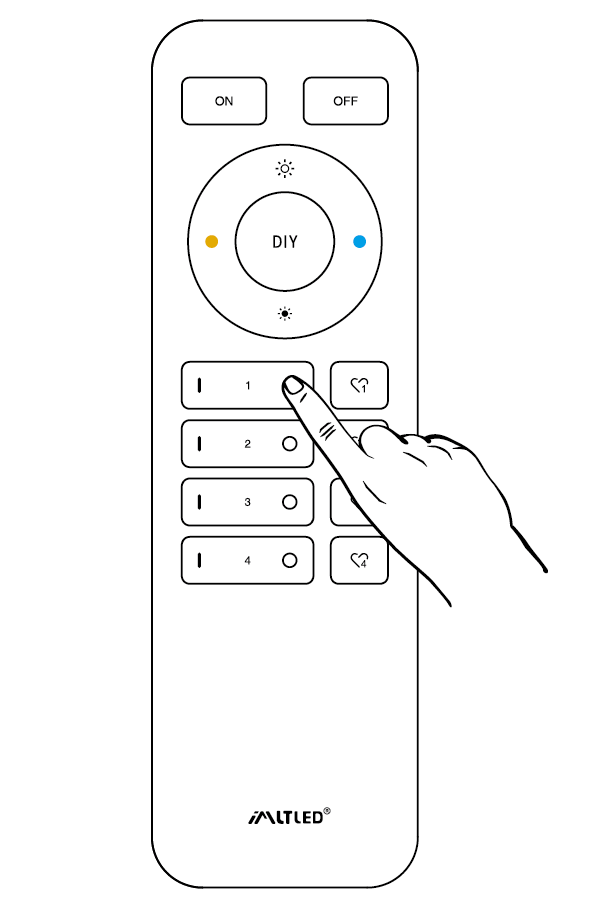
ON/OFF Time #
The light status changes gradually (factory default time is 0.5s).
1.5s: Short press “ON” 1 times and short press “OFF” 5 times within 3 seconds, the setting is done once light flashes 2 times slowly.
0.5s: Short press “OFF” 1 times and short press “ON” 5 times within 3 seconds, the setting is done once light flashes 2 times quickly.
ON/OFF Dimming mode #
Shut down dimming mode ( activate ON/OFF mode) #
Long press “SET” 10 seconds, dimming mode is shut down while indicator flashes 3 times slowly.
Activate dimming mode #
Long press “SET” 10 seconds, dimming mode is activated while indicator flashes 3 times quickly.
Atención #
- Por favor, desconecte la alimentación antes de conectar el dispositivo.
- Please check the voltage of power before connecting.
- No lo desmontes si no eres un experto.
- No lo utilice en zonas metálicas o magnéticas.