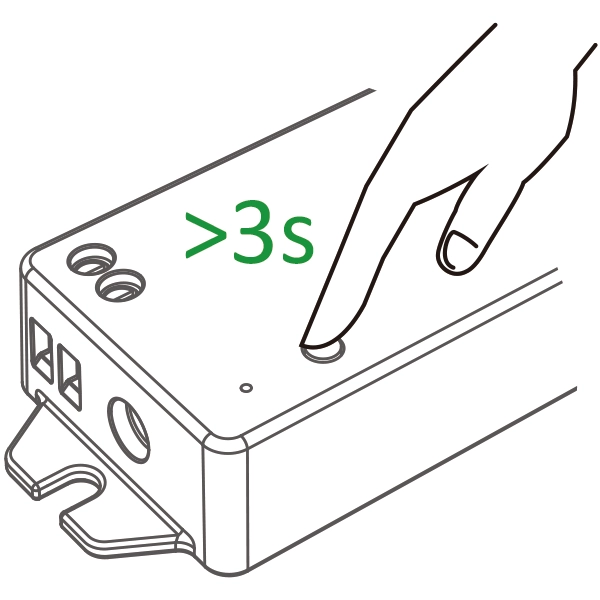
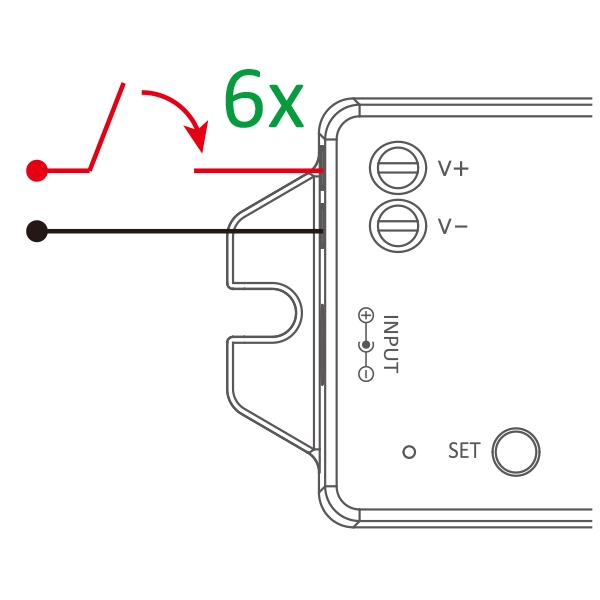
APP download #
Features #
- Adopted standard Zigbee 3.0 protocol.
- 5 kinds of output mode support 5 led strip (Single color/Tunable white/RGB/ RGBW/RGB+TW).
- Support 2.4G remote control.
- Support ” Tuya ” App control (Zigbee 3.0 gateway is required)
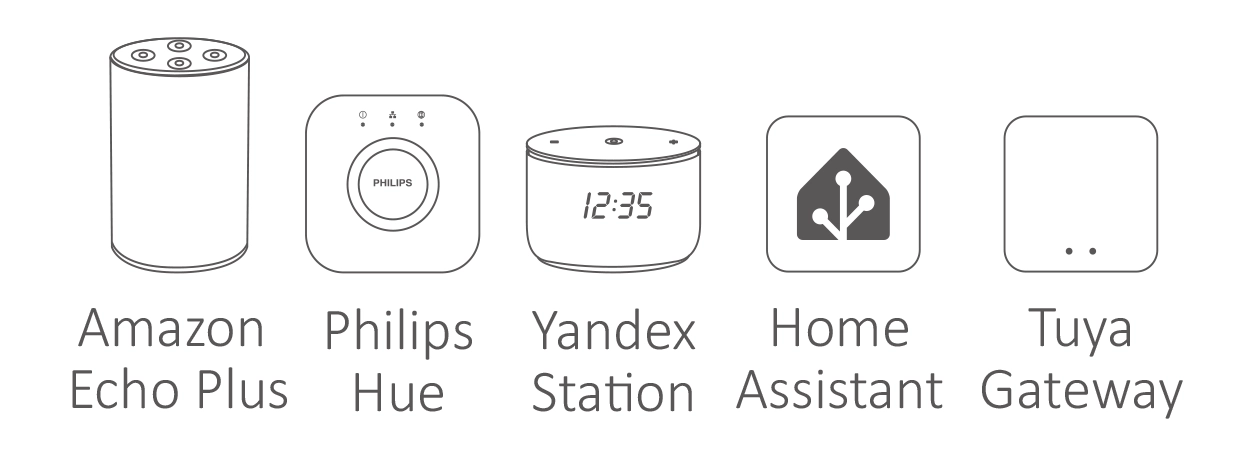
- Amazon Alexa, Philips Hue, Yandex Stetion, Home Assistant control.
Paraméterek #
| Termék neve | 5 in 1 LED Controller (Zigbee 3.0+2.4G) |
| Modellszám. | iL5Z |
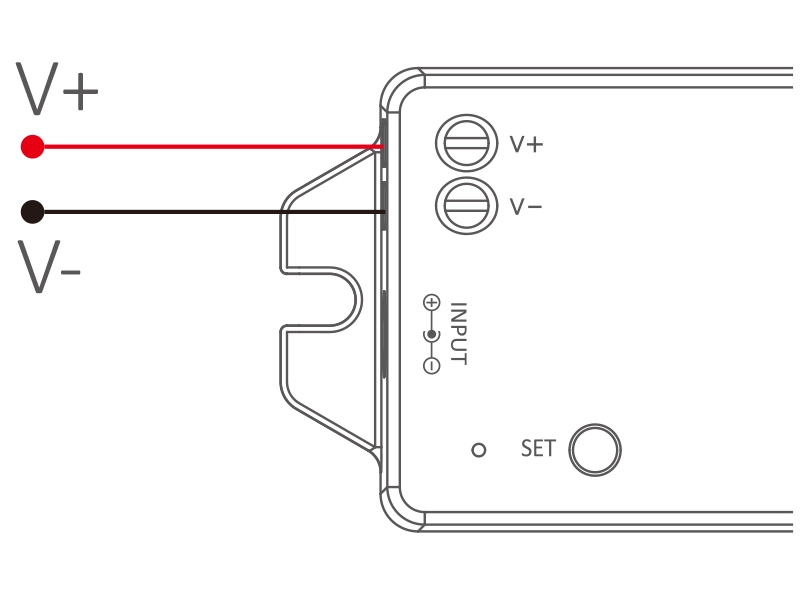
| Input | DC12V-24V |
| Kimenet | 6 A/csatorna |
| Total output | Max. 12 A |
| Output Type | Constant voltage |
| Protocol | Zigbee 3.0 + 2.4G RF |
| 2.4GHz RF distance | 30 m |
| Zigbee distance | 100m |
| Working temperature | -20–45 °C |
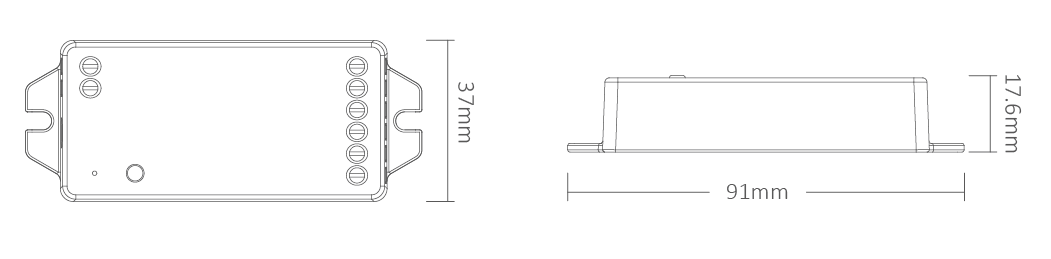
| Product Size | 91*37*17.6mm (L*W*H) |
Csatlakozási rajz #
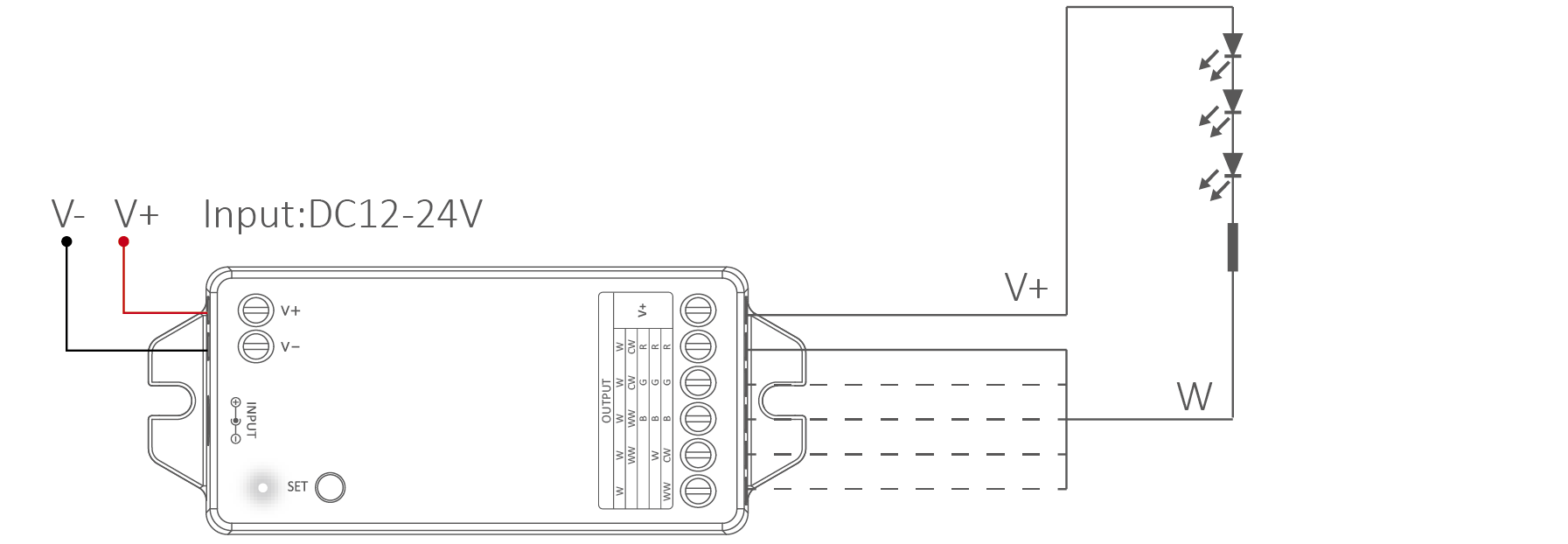
For single color LED strip (short press “SET”–white indicator)
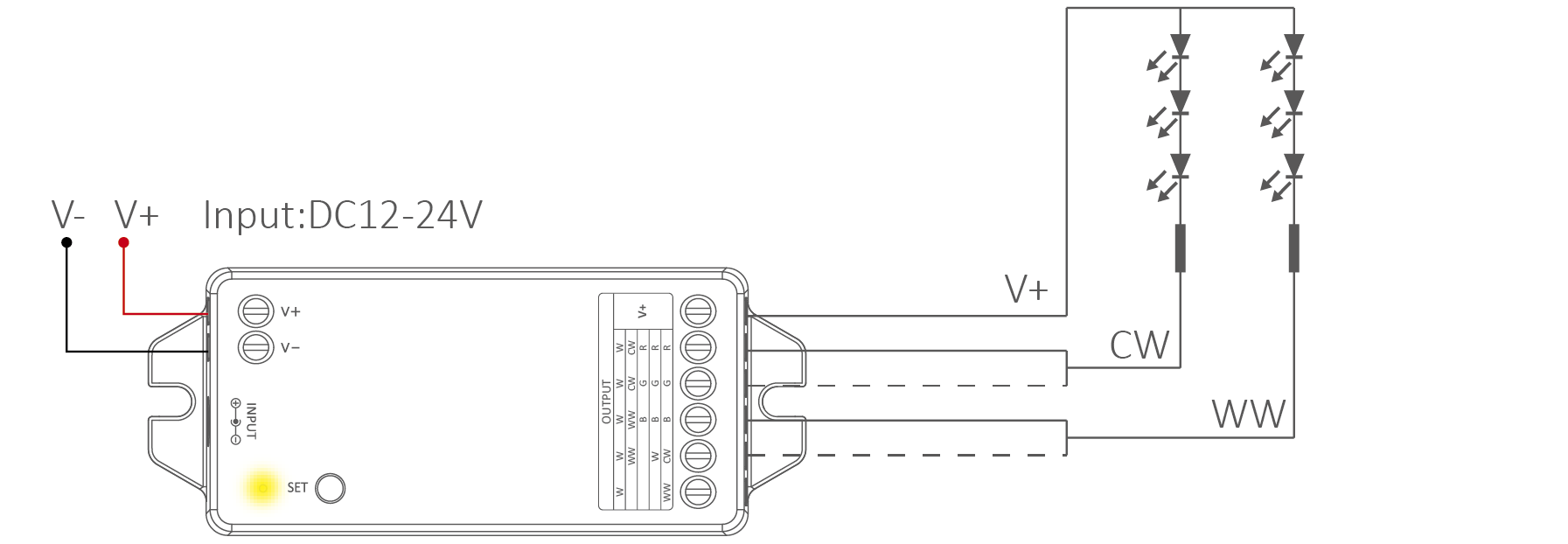
For Tunable white LED strip (short press “SET”– yellow indicator)
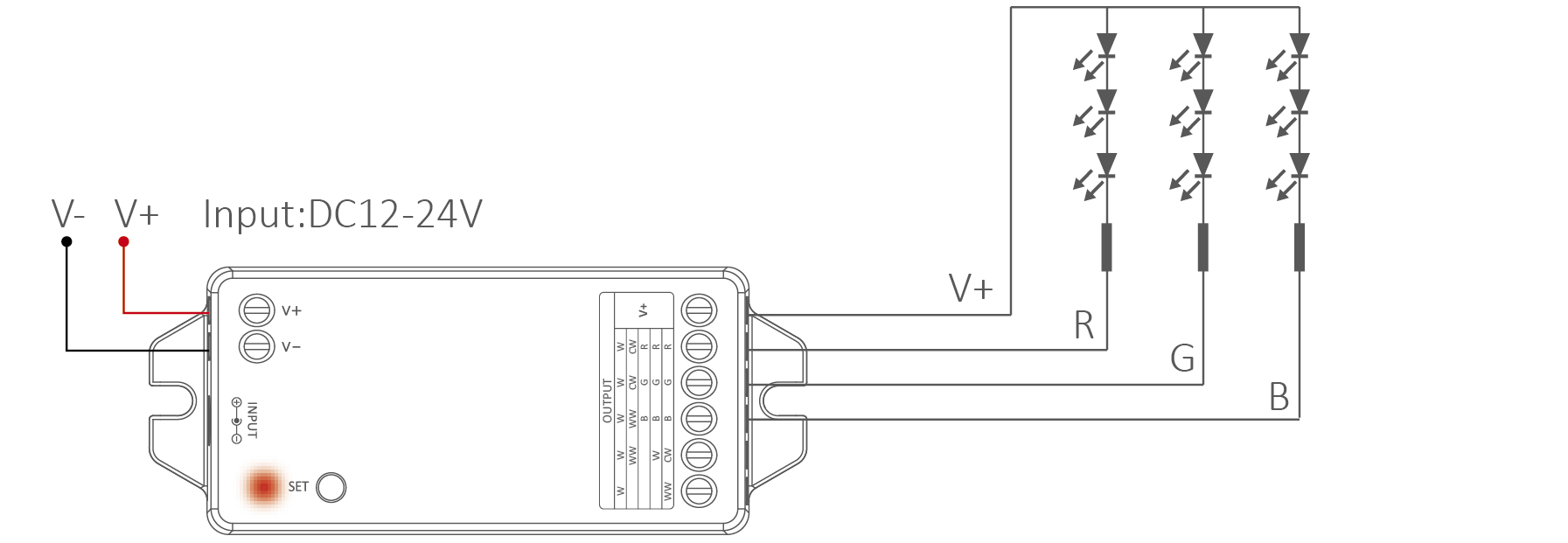
For RGB LED strip (short press “SET”–red indicator)
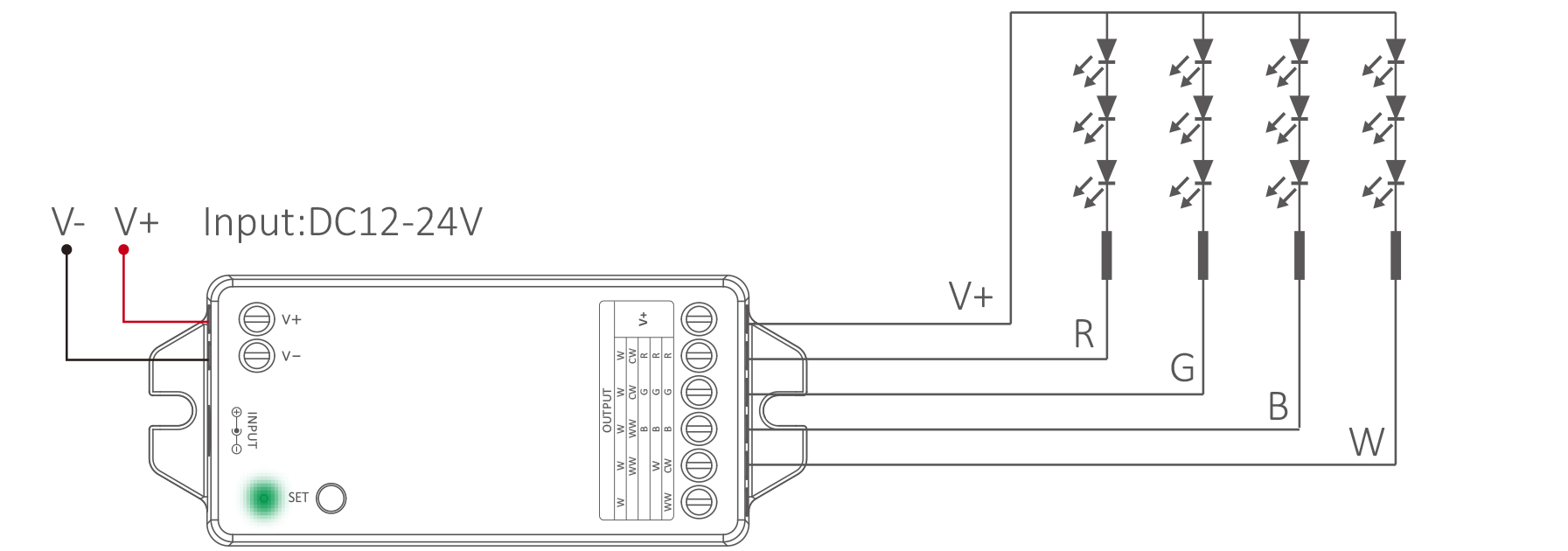
For RGBW LED strip (short press “SET”–green indicator)
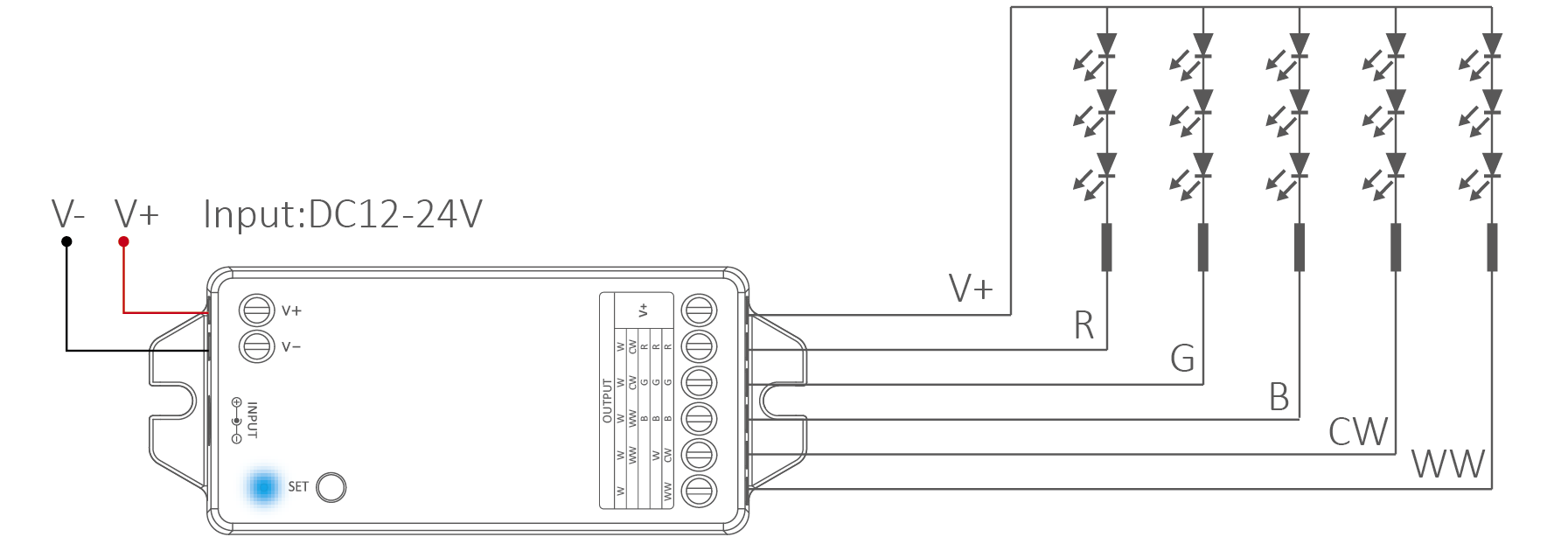
For RGB+TW LED strip (short press “SET”–blue indicator)
Output mode settings #
Short press (SET) continuously to select output mode, indicator displays different output modes as following diagram.
| Indicator | Kimenet |
| White | Single color |
| Yellow | Tunable white |
| Red | RGB |
| Green | RGBW |
| Blue | RGB+TW |

Add to Amazon Echo (Alexa) #
Echo with built-in Zigbee
1. Put device into Zigbee pairing mode.
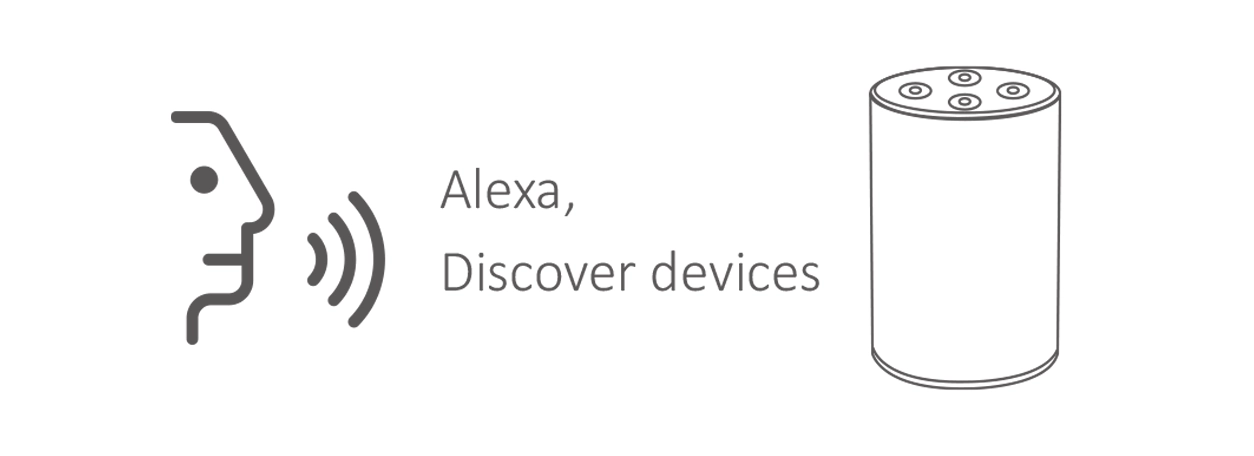
2. Say to Amazon ECHO “Alexa, Discover devices” .
3. Wait for a while to discover device, Voice control is activated.

Add to Philips Hue #
Philips Hue Bridge is required
1. Put device into Zigbee pairing mode.
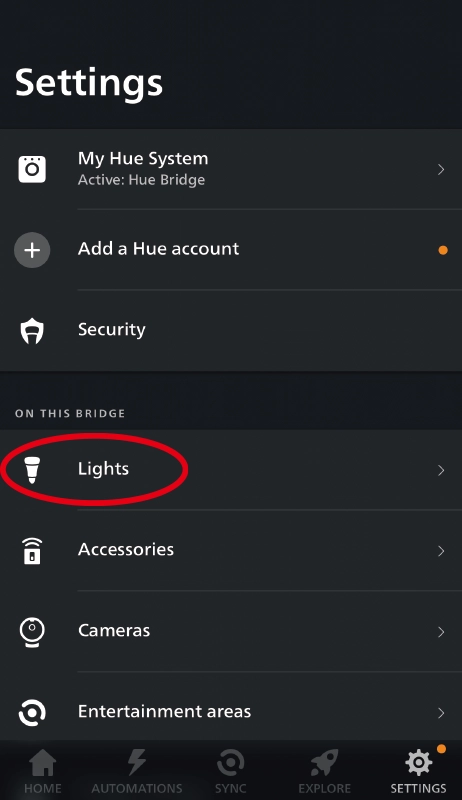
2. Open “Philips Hue” App to click “SETTINGS” and click “Lights”.
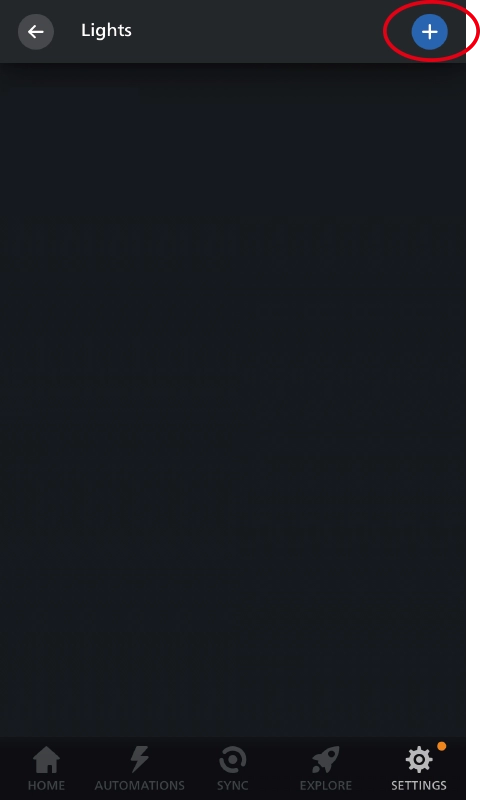
3. Click “+” on the top of right corner.
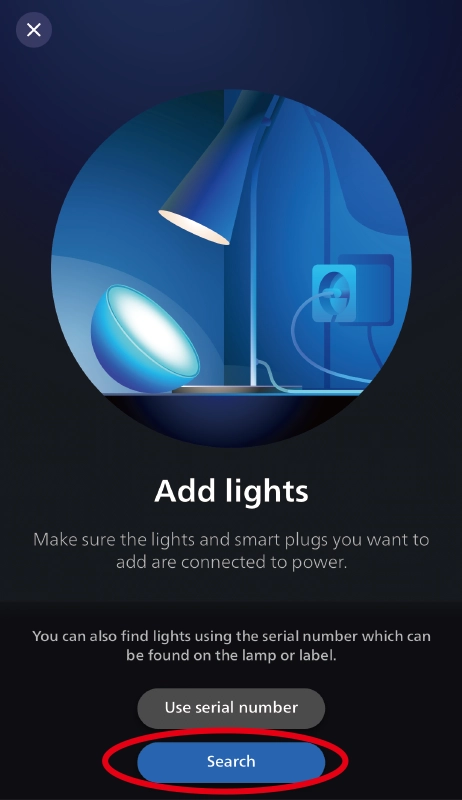
4. Click “Search”.
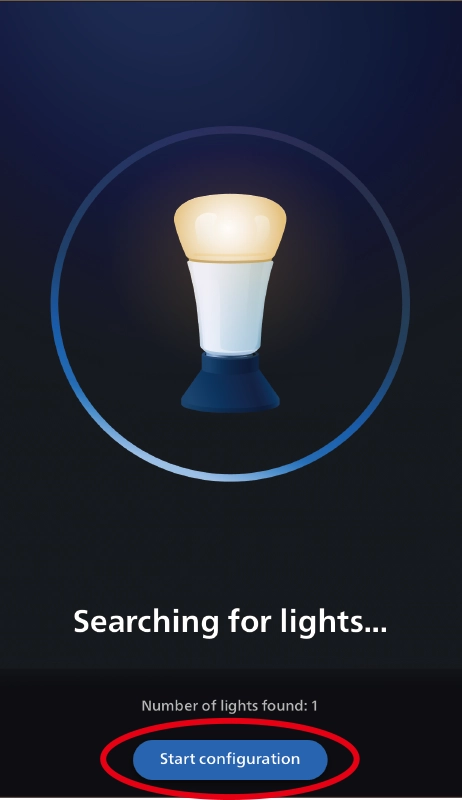
5. Click “Start configuration”, Follow the app instruction to complete configuration.

Add to Home Assistant #
Zigbee 3.0 Coordinator is required
1. Put device into Zigbee pairing mode.
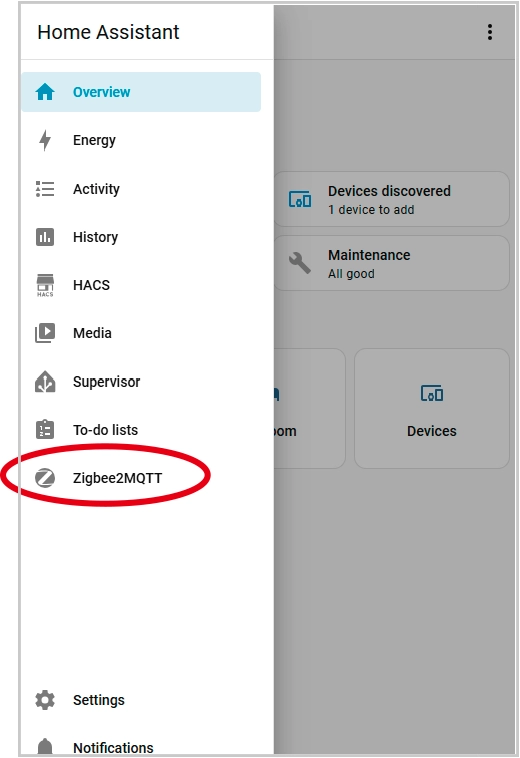
2. Open Home Assistant app and go to “Zigbee2MQTT”.
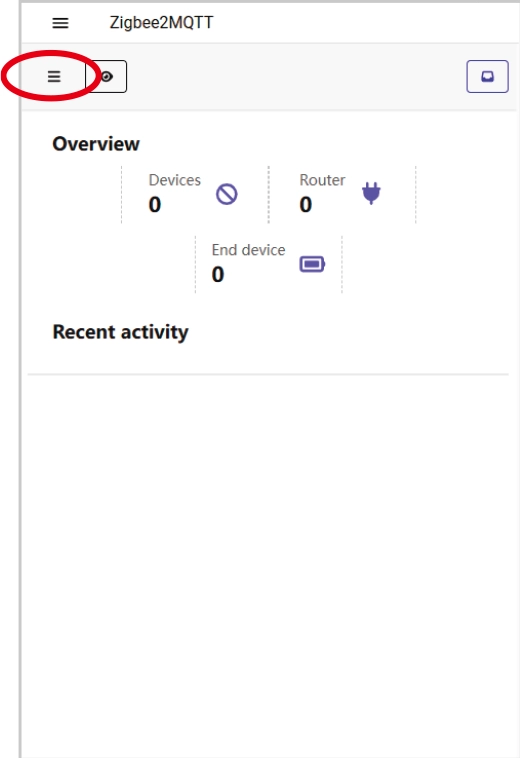
3. Click “Ξ”.
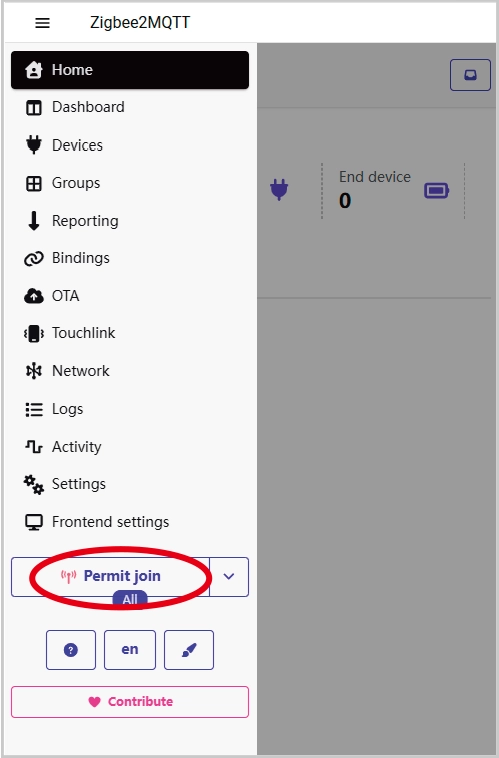
4. Click “Permit join (All)” .
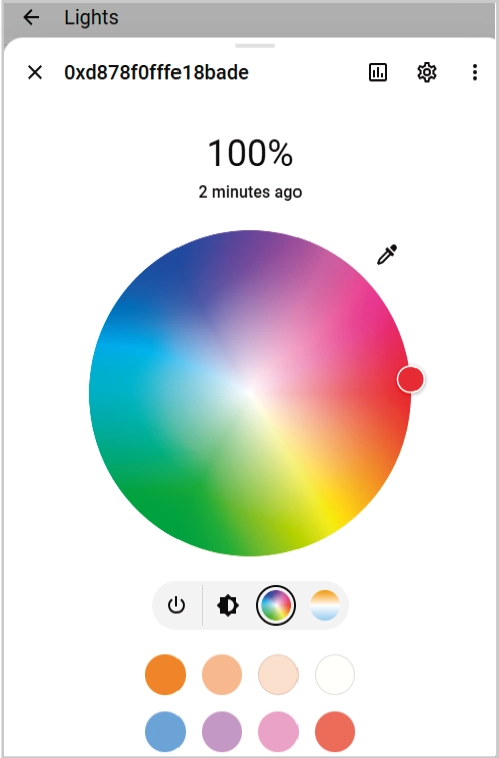
5. Wait for the device to connect.
6. Added successfully.

#
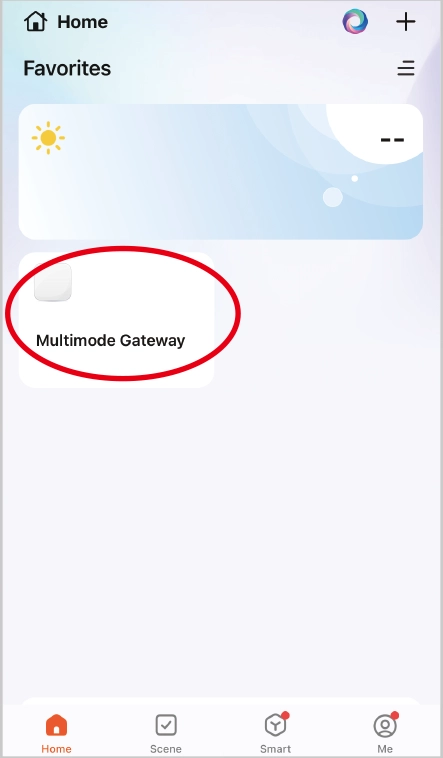
Tuya Zigbee 3.0 gateway is required
1. Put device into Zigbee pairing mode.
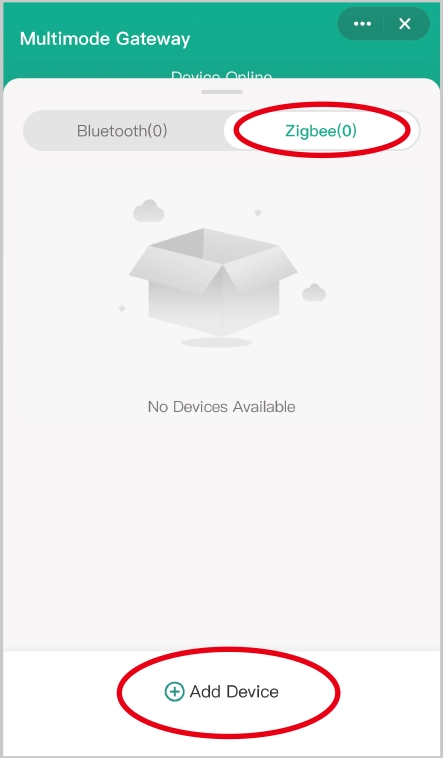
2. Open “Tuya” APP to click Zigbee gateway, then click “Zigbee”.
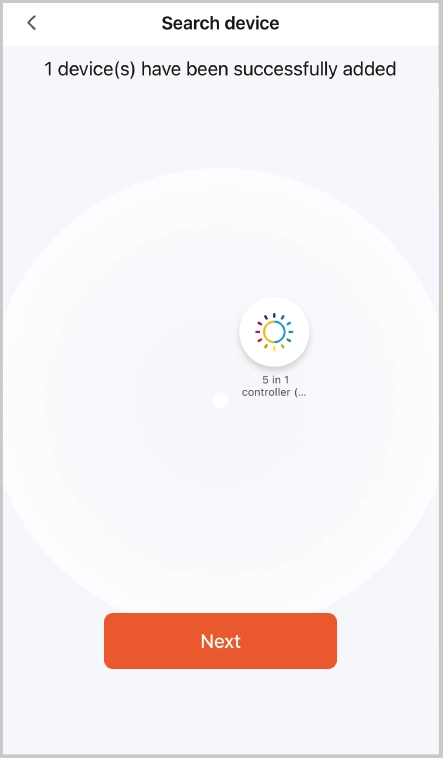
3. Click “Add device”.
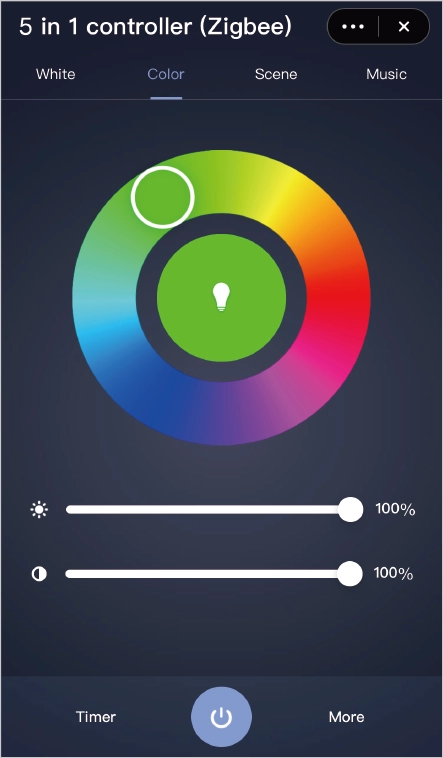
4. Added successfully.
2.4G Remote Control #
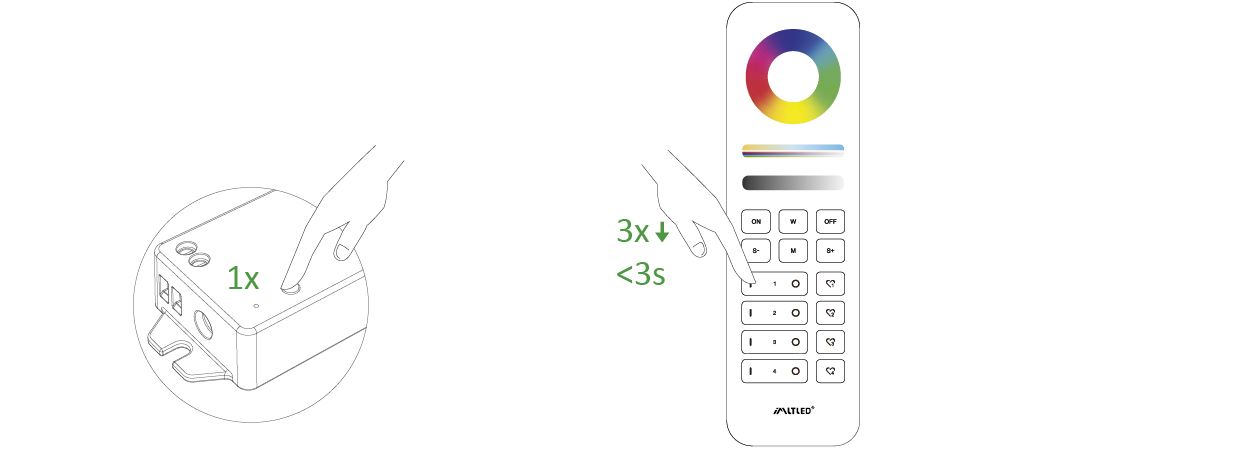
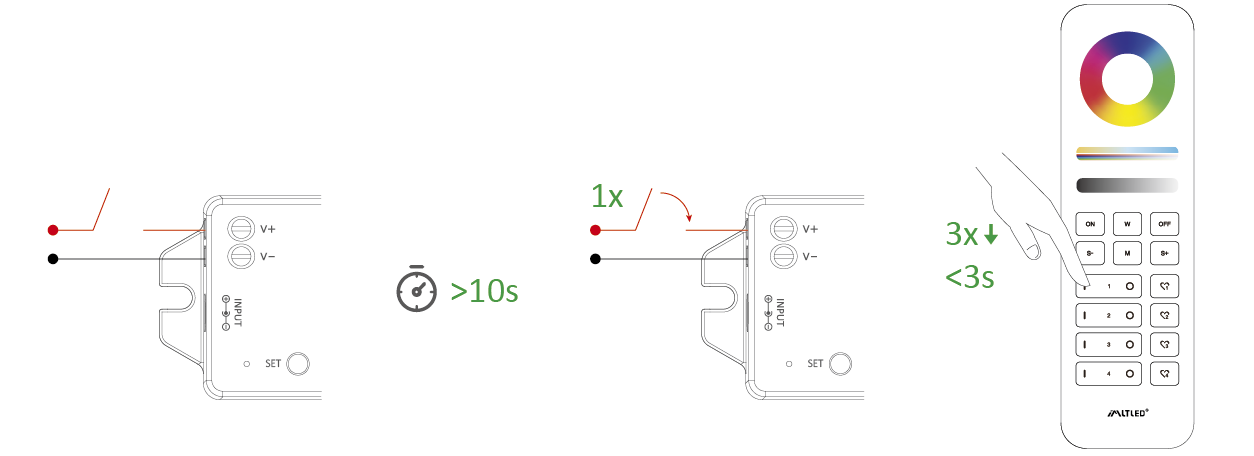
Linking code (2 different solution) #
Solution 1
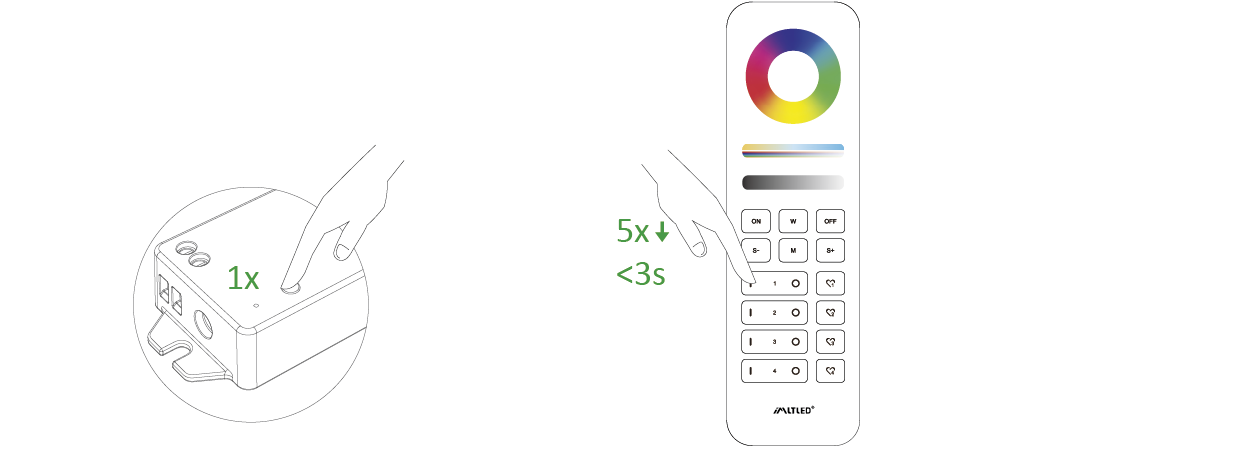
Short press “SET” 1 time, short press “ I ” 3 times within 3 seconds
Solution 2
Power off and power on, short press “ I ” 3 times within 3 seconds
Link is done if the light flashes 3 times slowly
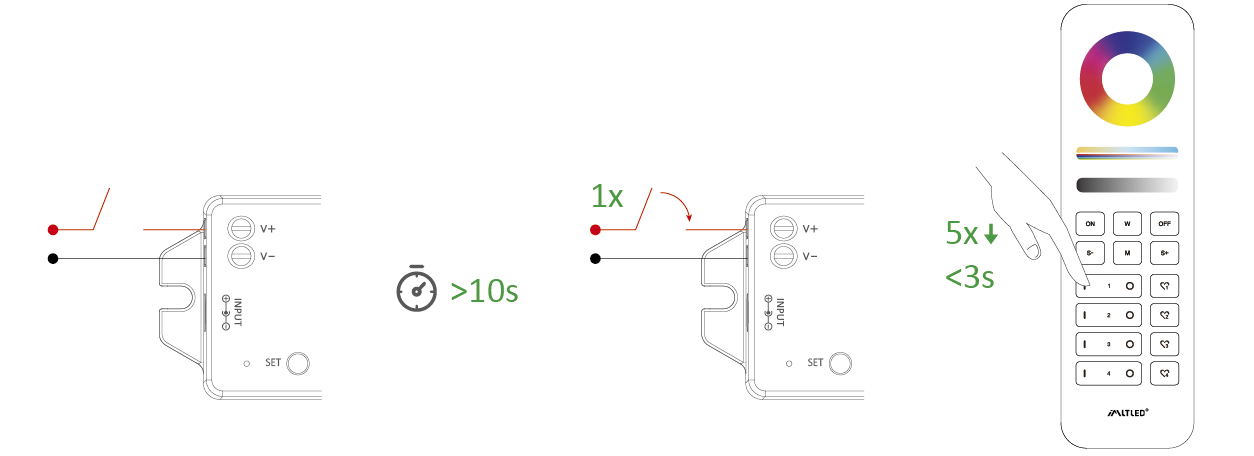
Cleaning Code (2 different solution) #
Solution 1
Short press “SET” 1 time, short press “ I ” 5 times within 3 seconds
Solution 2
Power off and power on, short press “ I ” 5 times within 3 seconds
Cleaning code is done if the light flashes 6 times quickly.
Dynamic Mode List (For remote control only) #
Attention: brightness, saturation and speed are dimmable
| No. | Dynamic mode |
| 1 | Automatical color changing |
| 2 | RGB gradual changing |
| 3 | Color changing randomly |
| 4 | Seven color jumping |
| 5 | Color jumping randomly |
| 6 | Volcano red |
| 7 | Forest green |
| 8 | Ocean blue |
9 | Three color jumping and gradual changing |
Attention #
- Please cut off power before wiring device.
- Please check the voltage of power adapter before connecting.
- Don’t disassemble it if you are not expert.
- Don’t use it in metallic or magnetic area.